PROJECT DETAILS
CRAFTING THE LIGHT
BEFORE AND AFTER
Transformation made visible.
TOOLS
Equipment List
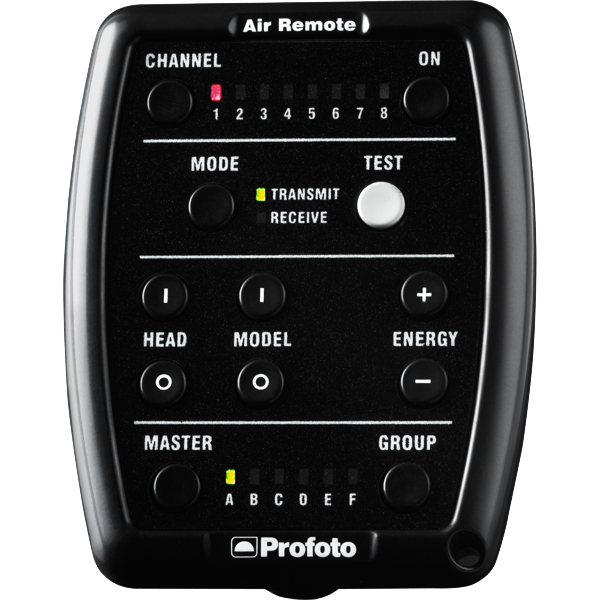
Profoto Air Remote
A wireless transmitter that mounts on the camera’s hot shoe to control Profoto lights remotely. Supports TTL, manual power adjustment, and high-speed sync. Why it’s used: Enables precise, cable-free control of flash settings from the camera position, streamlining workflow and allowing quick lighting adjustments during a shoot.
A wireless transmitter that mounts on the camera’s hot shoe to control Profoto lights remotely. Supports TTL, manual power adjustment, and high-speed sync. Why it’s used: Enables precise, cable-free control of flash settings from the camera position, streamlining workflow and allowing quick lighting adjustments during a shoot.
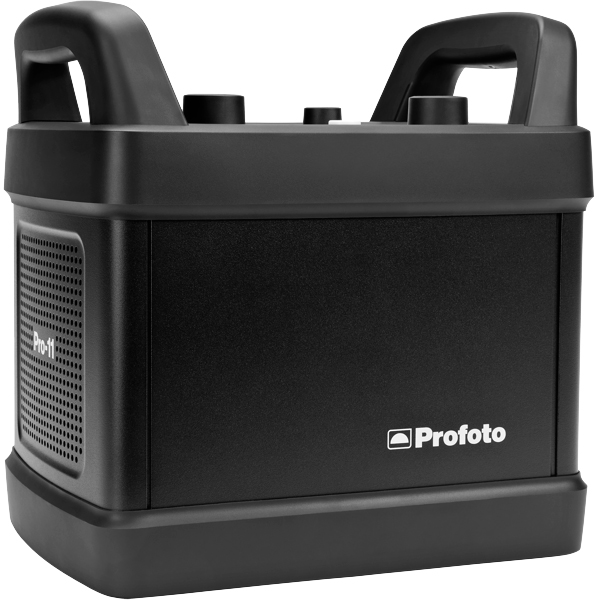
Profoto Pro 11
A top-tier 2400 Ws studio generator offering ultra-fast flash durations, short recycle times, and exceptional color consistency. Features wireless control and AirX connectivity for remote operation.
Why it’s used: Delivers unmatched speed, power, and reliability for high-end fashion, beauty, and commercial shoots where precision and performance are critical.
A top-tier 2400 Ws studio generator offering ultra-fast flash durations, short recycle times, and exceptional color consistency. Features wireless control and AirX connectivity for remote operation.
Why it’s used: Delivers unmatched speed, power, and reliability for high-end fashion, beauty, and commercial shoots where precision and performance are critical.
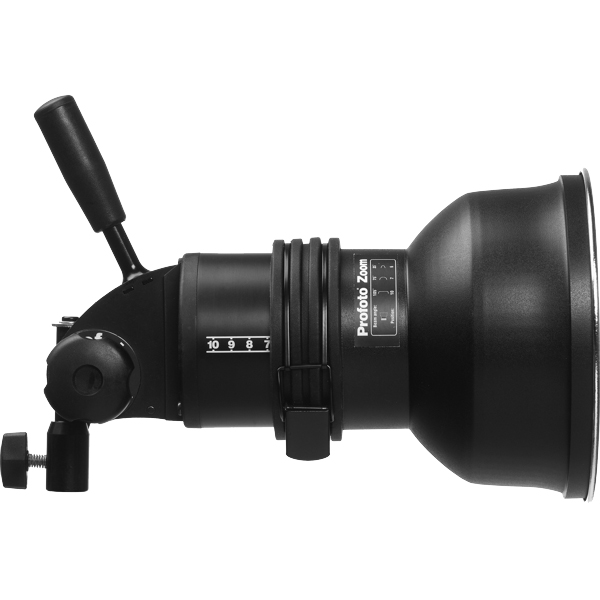
Profoto ProHead
A high-performance flash head designed for use with Profoto’s Pro-series generators. Built for durability, fast recycling, and consistent color output, even at high power.
Why it’s used: Delivers powerful, reliable lighting for demanding studio and location work, supporting a wide range of Profoto modifiers for maximum creative control.
A high-performance flash head designed for use with Profoto’s Pro-series generators. Built for durability, fast recycling, and consistent color output, even at high power.
Why it’s used: Delivers powerful, reliable lighting for demanding studio and location work, supporting a wide range of Profoto modifiers for maximum creative control.
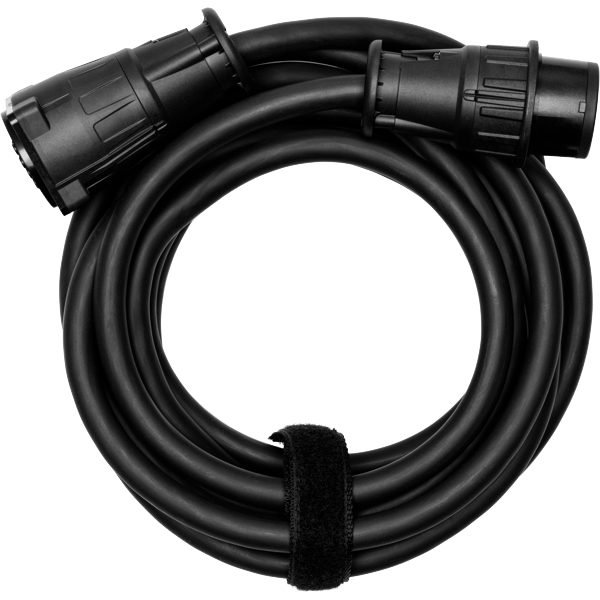
Profoto Extension Cable
A heavy-duty cable that extends the distance between a Profoto generator and its flash head. Designed to handle high power loads without loss of performance.
Why it’s used: Provides flexibility in light placement on large sets or challenging locations, allowing equipment to be positioned safely and creatively without being limited by generator proximity.
A heavy-duty cable that extends the distance between a Profoto generator and its flash head. Designed to handle high power loads without loss of performance.
Why it’s used: Provides flexibility in light placement on large sets or challenging locations, allowing equipment to be positioned safely and creatively without being limited by generator proximity.
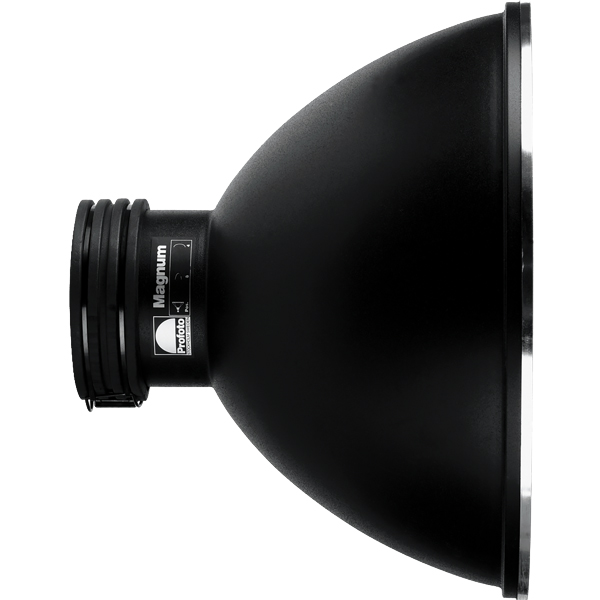
Profoto Magnum Reflector
A high-output hard light modifier that boosts a flash head’s efficiency, delivering a bright, focused beam with smooth fall-off.
Why it’s used: Increases light intensity while maintaining quality, making it ideal for long-distance lighting, simulating sunlight, or adding crisp, punchy highlights in fashion and beauty work.
A high-output hard light modifier that boosts a flash head’s efficiency, delivering a bright, focused beam with smooth fall-off.
Why it’s used: Increases light intensity while maintaining quality, making it ideal for long-distance lighting, simulating sunlight, or adding crisp, punchy highlights in fashion and beauty work.
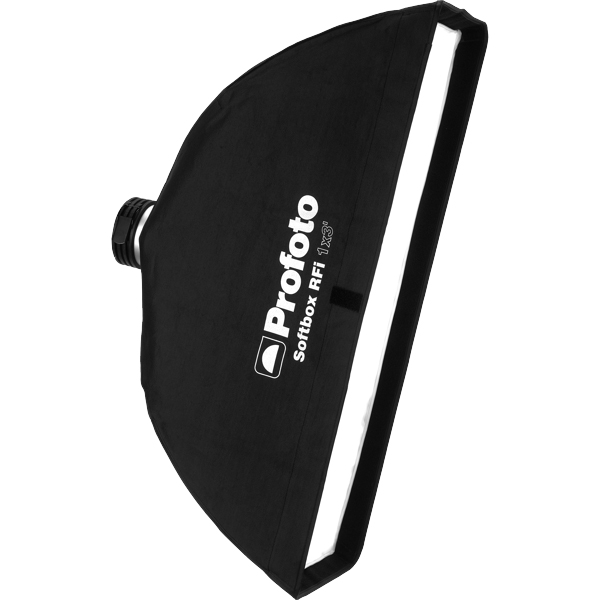
Profoto RFI Softbox 1x3"(30x90cm)
A rectangular softbox measuring 30×90 cm, designed to produce a narrow, directional beam of soft light. Works with Profoto flashes via the RFi speedring.
Why it’s used: Perfect for creating controlled rim light, edge light, or accent light, as well as for shaping highlights in fashion, beauty, and product photography.
Profoto RFI Softbox 1x3"(30x90cm)
A rectangular softbox measuring 30×90 cm, designed to produce a narrow, directional beam of soft light. Works with Profoto flashes via the RFi speedring.
Why it’s used: Perfect for creating controlled rim light, edge light, or accent light, as well as for shaping highlights in fashion, beauty, and product photography.
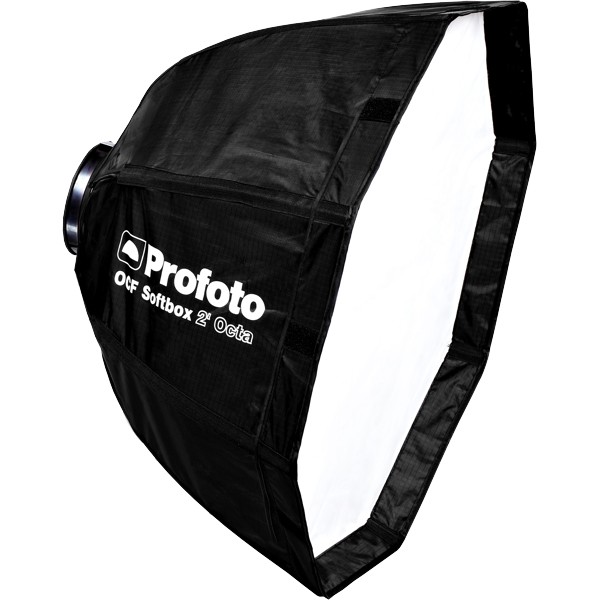
Profoto OCF Softbox Octa 2"(60cm)
A compact, lightweight octagonal softbox designed for Profoto’s Off-Camera Flash (OCF) system. Creates soft, flattering light with natural round catchlights.
Why it’s used: Perfect for on-location portraits, beauty, and fashion work where portability, quick setup, and soft yet controlled light are essential.
Profoto OCF Softbox Octa 2"(60cm)
A compact, lightweight octagonal softbox designed for Profoto’s Off-Camera Flash (OCF) system. Creates soft, flattering light with natural round catchlights.
Why it’s used: Perfect for on-location portraits, beauty, and fashion work where portability, quick setup, and soft yet controlled light are essential.
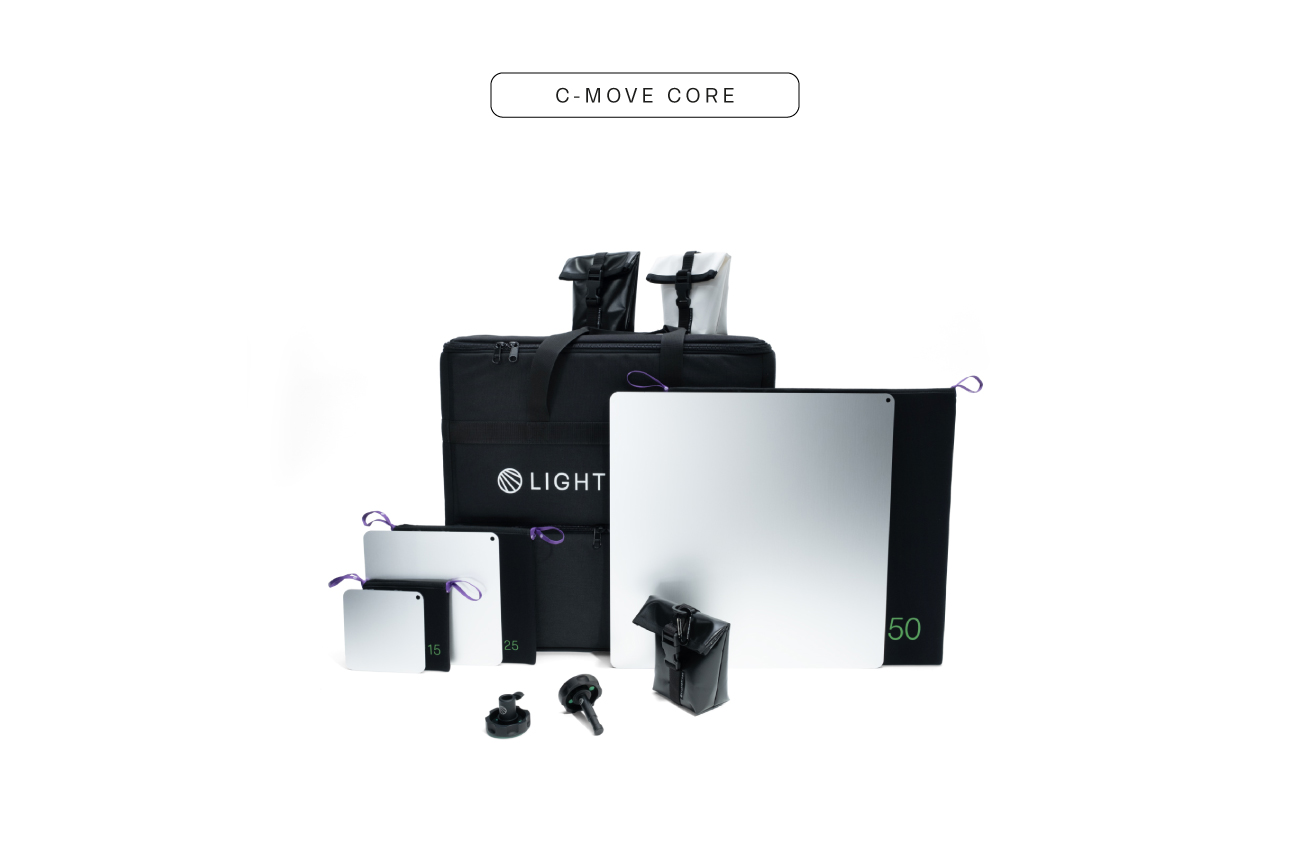
Lightbride CRLS C-Move
A compact, portable reflector system from The Lightbridge’s C-Reflector Lighting System (CRLS). Uses precision-engineered reflector surfaces with different diffusion levels to redirect and shape light with minimal loss.
Why it’s used: Creates beautifully controlled, natural-looking light by bouncing it rather than diffusing it, allowing for subtle, cinematic lighting effects with precise direction and softness.
A compact, portable reflector system from The Lightbridge’s C-Reflector Lighting System (CRLS). Uses precision-engineered reflector surfaces with different diffusion levels to redirect and shape light with minimal loss.
Why it’s used: Creates beautifully controlled, natural-looking light by bouncing it rather than diffusing it, allowing for subtle, cinematic lighting effects with precise direction and softness.
Get your full EQ list here

Project Intro
This setup delivers a sophisticated, high-fashion campaign & editorial look with a bold, modern feel. Ready to jump in?
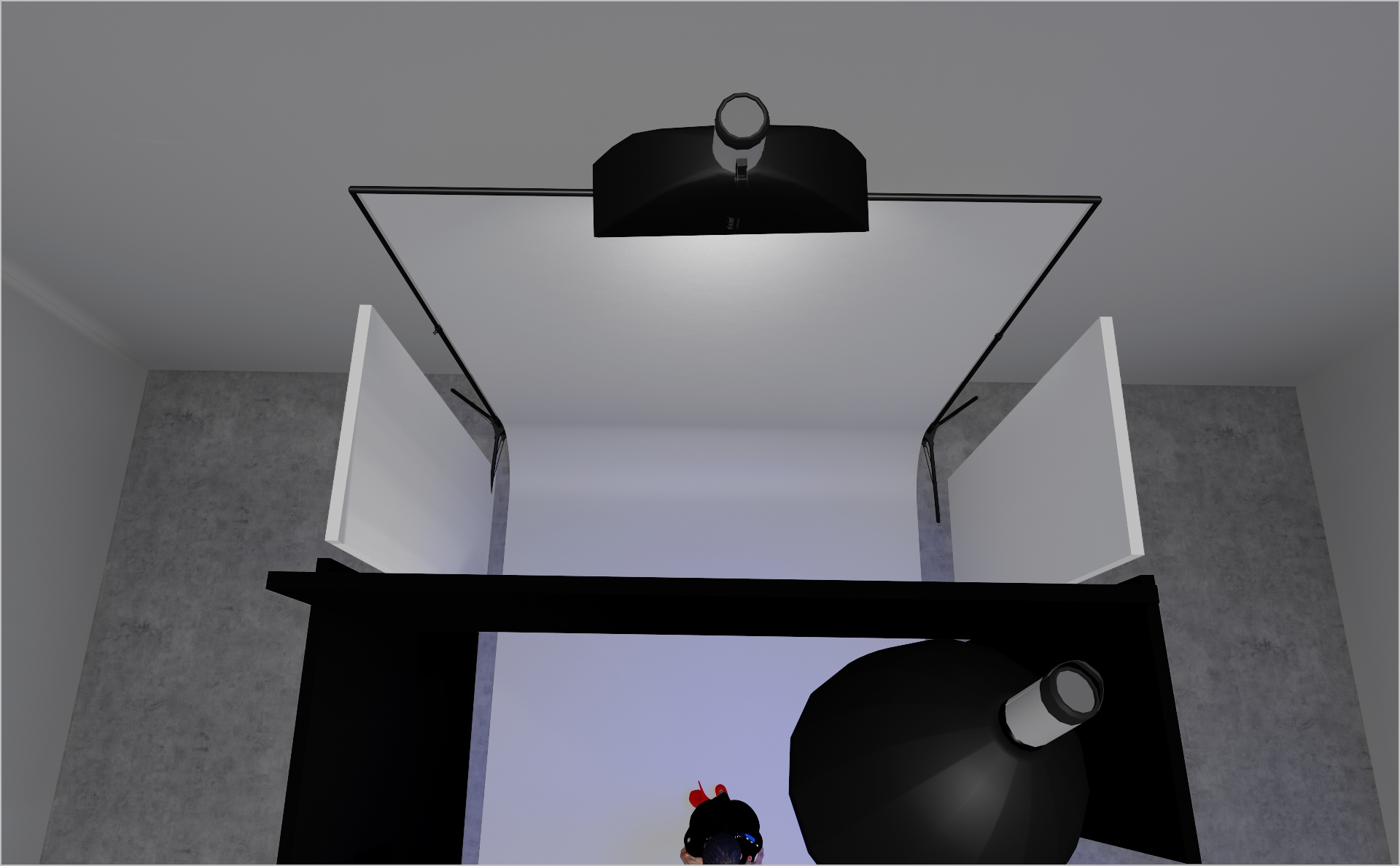
STEP 1
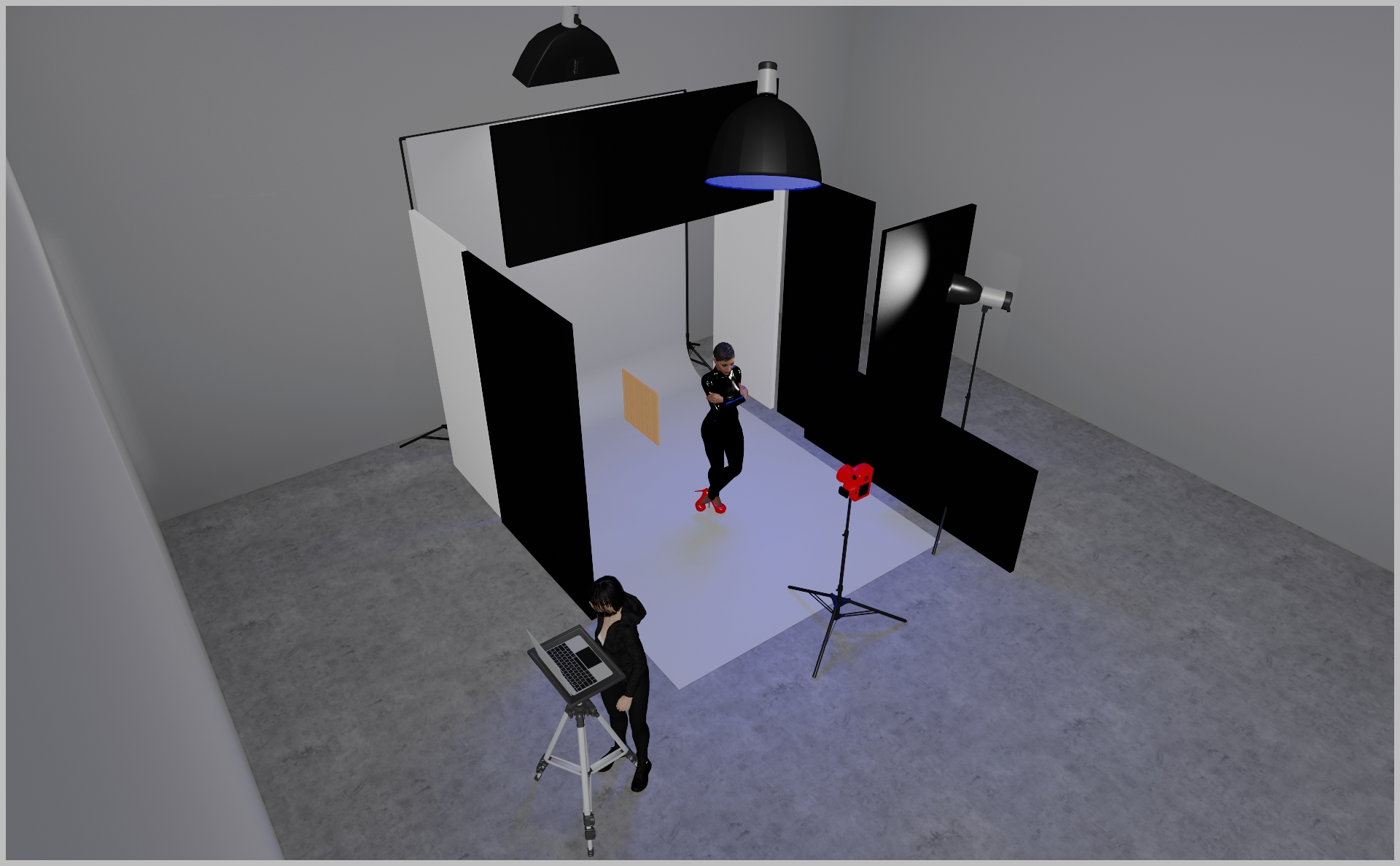
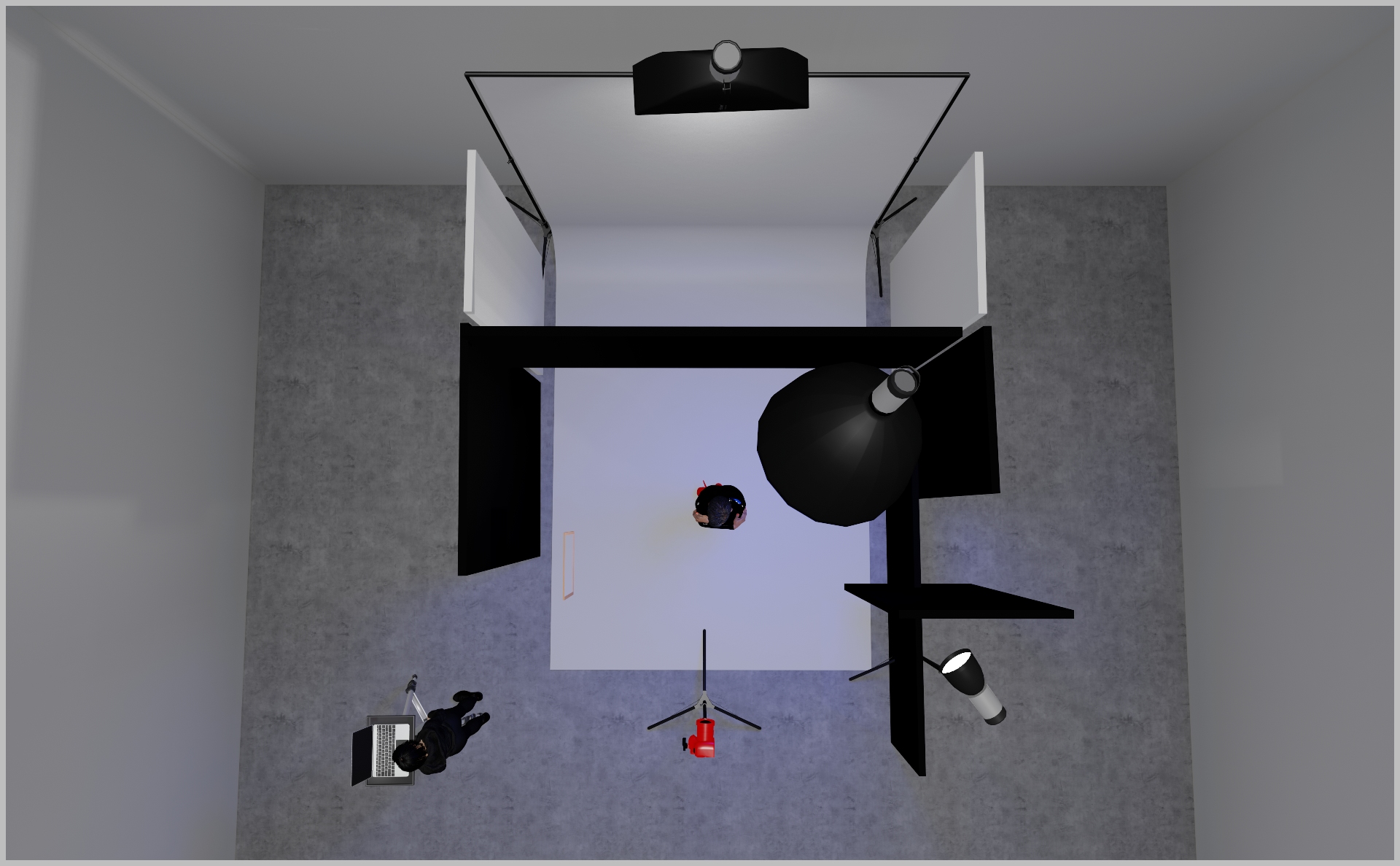
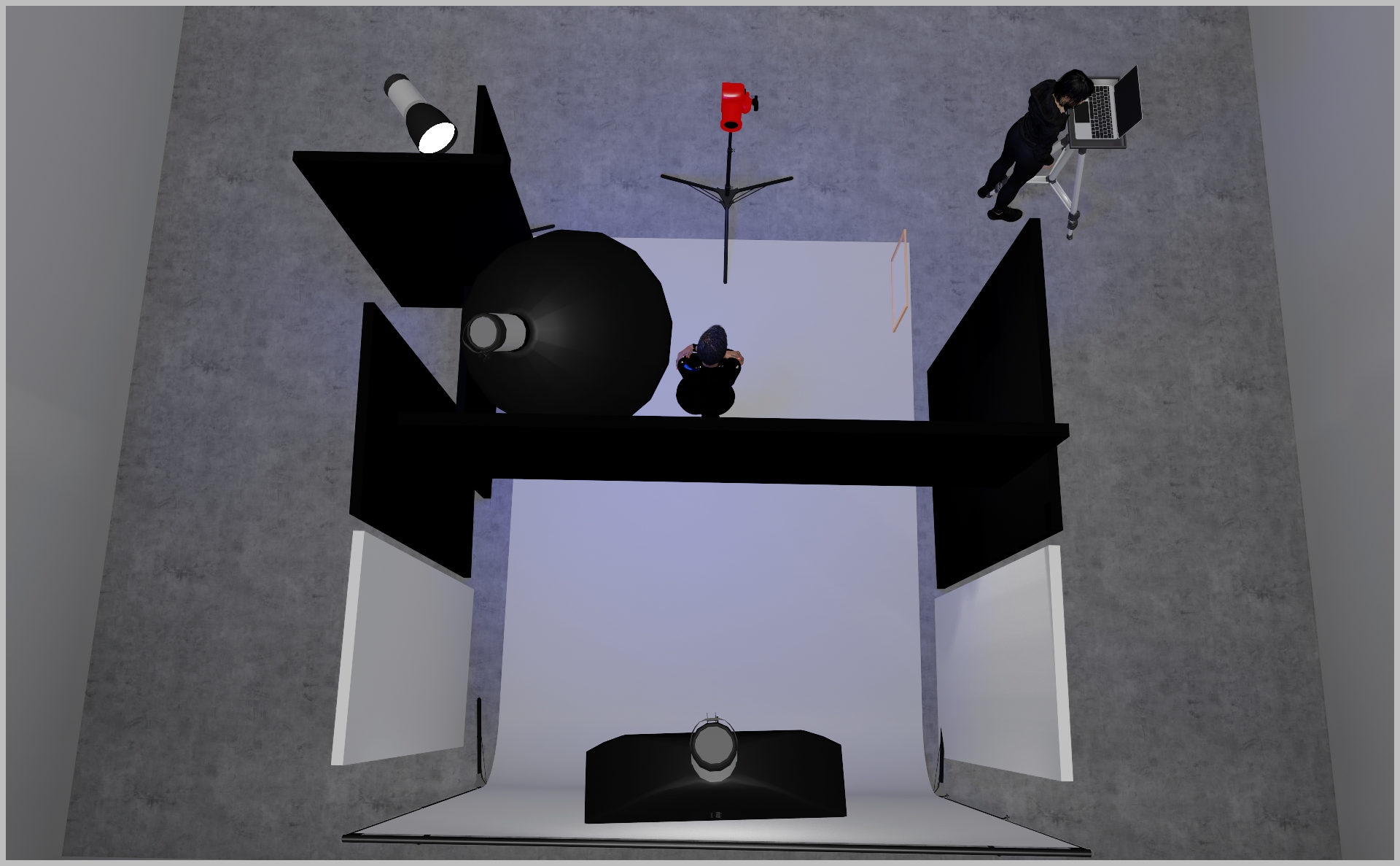
- Mount a Profoto 1×3″ strip softbox centered at the back of your set, aimed at the backdrop to create a soft top-down gradient.
- Position two white polyboards on either side of the backdrop to bounce subtle fill light into the set.
- Start at power 3.0 and tweak until the gradient and bounce feel balanced.
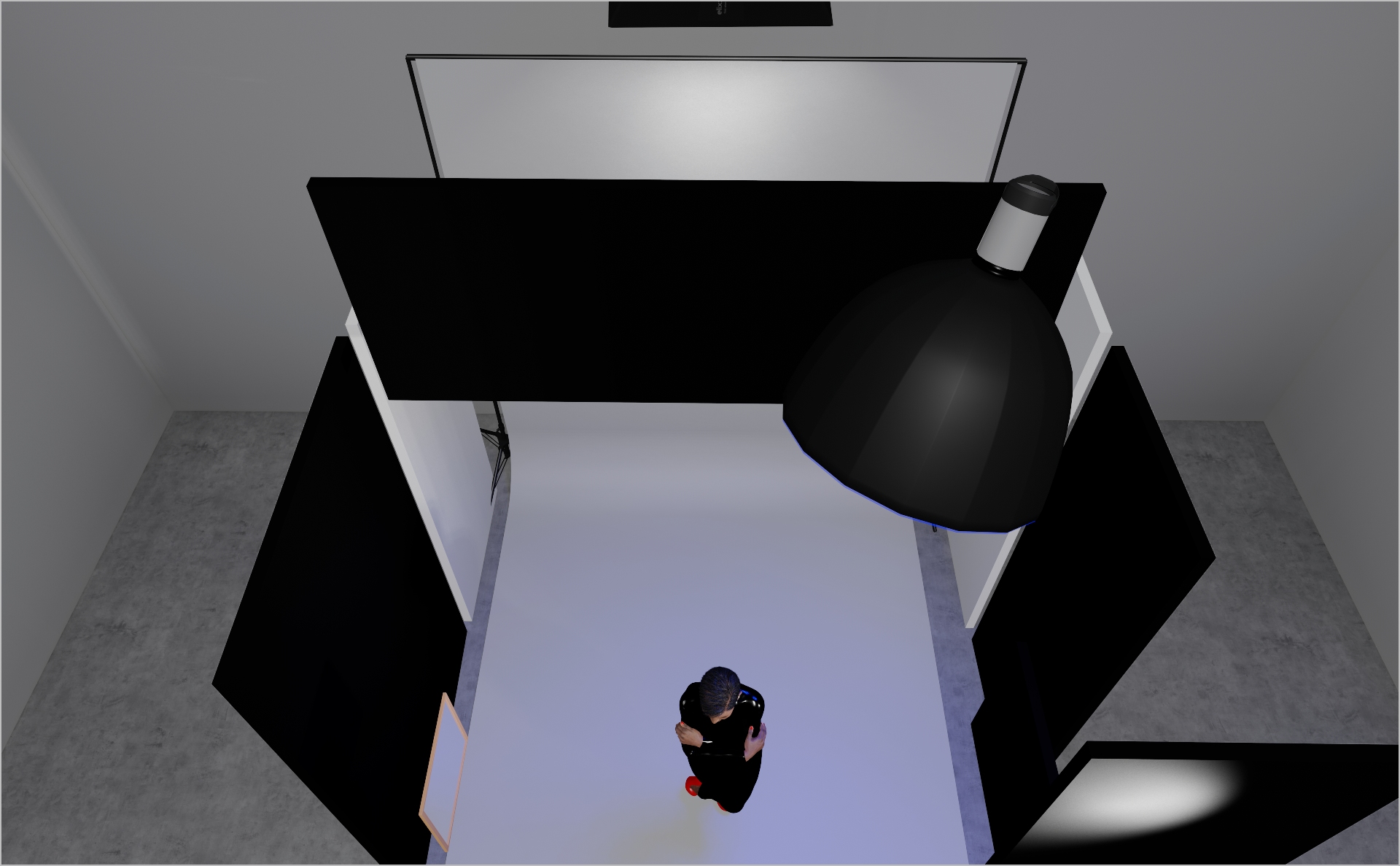
STEP 2
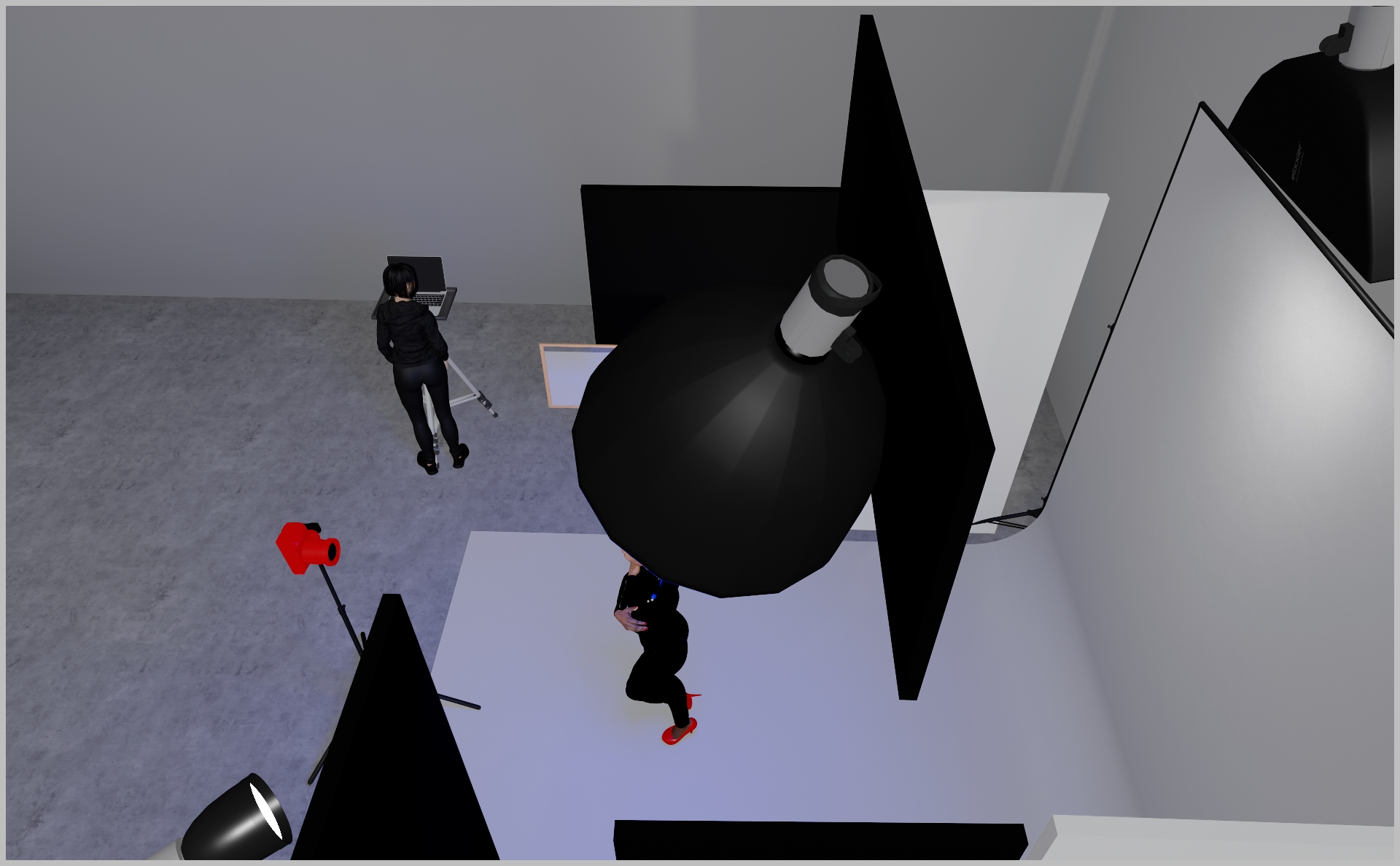
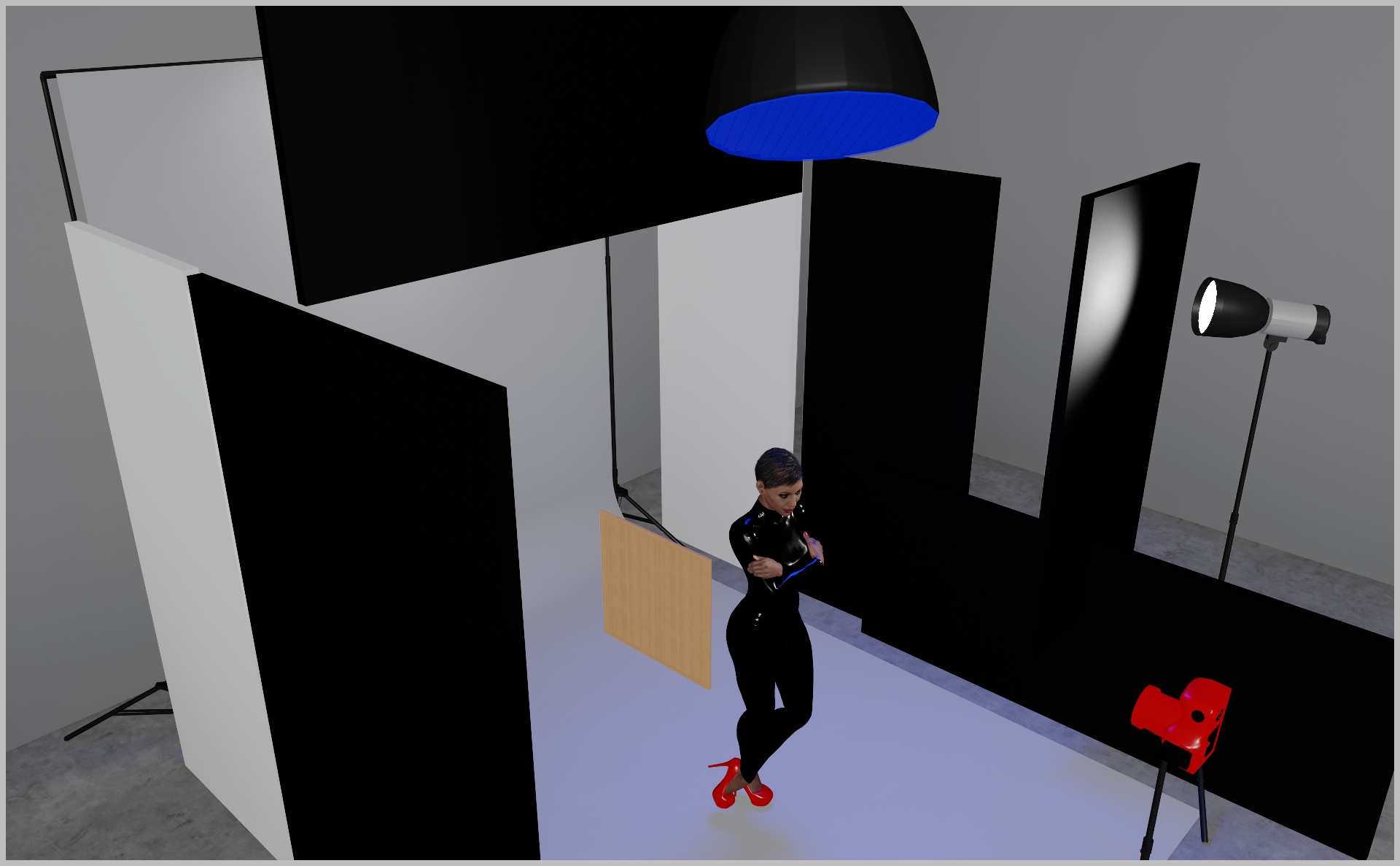
- Mount a Profoto 2″ Octabox with grid directly above the model’s head, angled slightly forward so it doesn`t fully hit the head but also the shoulders.
- Start at power 3.0 and tweak until the highlight is just right.
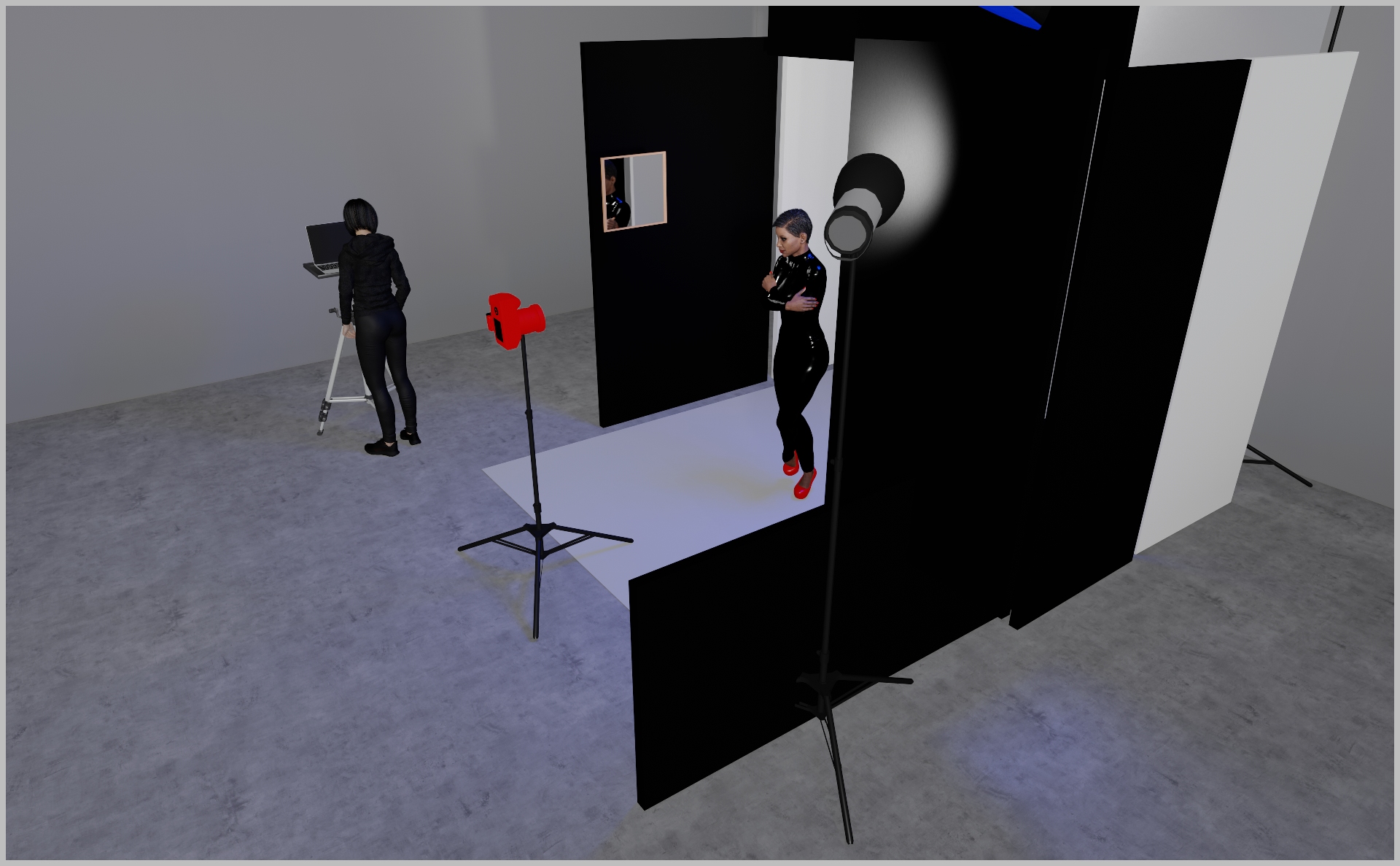
- Flag each side of the model with a black polyboard to add contrast and block spill.
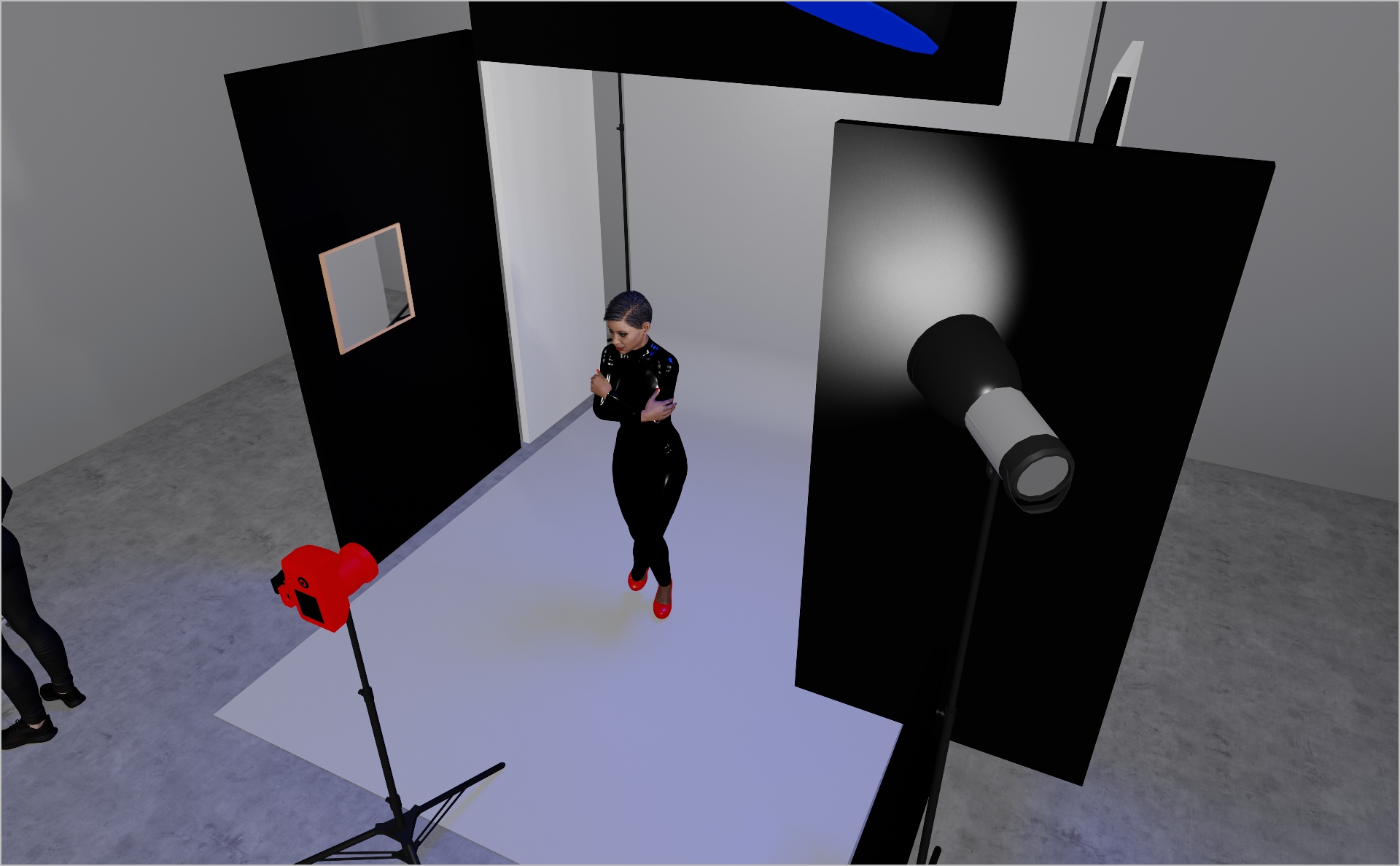
STEP 3
- Mount a Profoto ProHead with Magnum reflector and aim it solely at the model’s face—position it slightly high so the beam doesn’t hit the floor.
- Place a black floppy flag just in front of the reflector to prevent any spill onto the background.
- Start at power 5.0 and tweak until the facial light is crisp but contained.
- Use a small mirror board on the model’s left to bounce subtle highlights and fill shadows creatively.
- Camera settings: 1/125 s, ƒ/7.1, ISO 200 (16–35 mm lens).
PROJECT DETAILS
CRAFTING THE LIGHT
Project Intro
This setup delivers a sophisticated, high-fashion campaign & editorial look with a bold, modern feel. Ready to jump in?
BEFORE AND AFTER
Transformation made visible.
STEP 1
- Mount a Profoto 1×3″ strip softbox centered at the back of your set, aimed at the backdrop to create a soft top-down gradient.
- Position two white polyboards on either side of the backdrop to bounce subtle fill light into the set.
- Start at power 3.0 and tweak until the gradient and bounce feel balanced.
STEP 2
- Mount a Profoto 2″ Octabox with grid directly above the model’s head, angled slightly forward so it doesn`t fully hit the head but also the shoulders.
- Start at power 3.0 and tweak until the highlight is just right.
- Flag each side of the model with a black polyboard to add contrast and block spill.
STEP 3
- Mount a Profoto ProHead with Magnum reflector and aim it solely at the model’s face—position it slightly high so the beam doesn’t hit the floor.
- Place a black floppy flag just in front of the reflector to prevent any spill onto the background.
- Start at power 5.0 and tweak until the facial light is crisp but contained.
- Use a small mirror board on the model’s left to bounce subtle highlights and fill shadows creatively.
- Camera settings: 1/125 s, ƒ/7.1, ISO 200 (16–35 mm lens).
BEFORE AND AFTER
A closer look at professional environments.
TOOLS
Equipment List
Profoto Air Remote
A wireless transmitter that mounts on the camera’s hot shoe to control Profoto lights remotely. Supports TTL, manual power adjustment, and high-speed sync. Why it’s used: Enables precise, cable-free control of flash settings from the camera position, streamlining workflow and allowing quick lighting adjustments during a shoot.

A wireless transmitter that mounts on the camera’s hot shoe to control Profoto lights remotely. Supports TTL, manual power adjustment, and high-speed sync. Why it’s used: Enables precise, cable-free control of flash settings from the camera position, streamlining workflow and allowing quick lighting adjustments during a shoot.
Profoto Pro 11
A top-tier 2400 Ws studio generator offering ultra-fast flash durations, short recycle times, and exceptional color consistency. Features wireless control and AirX connectivity for remote operation.
Why it’s used: Delivers unmatched speed, power, and reliability for high-end fashion, beauty, and commercial shoots where precision and performance are critical.
A top-tier 2400 Ws studio generator offering ultra-fast flash durations, short recycle times, and exceptional color consistency. Features wireless control and AirX connectivity for remote operation.
Why it’s used: Delivers unmatched speed, power, and reliability for high-end fashion, beauty, and commercial shoots where precision and performance are critical.
Profoto ProHead
A high-performance flash head designed for use with Profoto’s Pro-series generators. Built for durability, fast recycling, and consistent color output, even at high power.
Why it’s used: Delivers powerful, reliable lighting for demanding studio and location work, supporting a wide range of Profoto modifiers for maximum creative control.
A high-performance flash head designed for use with Profoto’s Pro-series generators. Built for durability, fast recycling, and consistent color output, even at high power.
Why it’s used: Delivers powerful, reliable lighting for demanding studio and location work, supporting a wide range of Profoto modifiers for maximum creative control.
Profoto Extension Cable
A heavy-duty cable that extends the distance between a Profoto generator and its flash head. Designed to handle high power loads without loss of performance.
Why it’s used: Provides flexibility in light placement on large sets or challenging locations, allowing equipment to be positioned safely and creatively without being limited by generator proximity.
A heavy-duty cable that extends the distance between a Profoto generator and its flash head. Designed to handle high power loads without loss of performance.
Why it’s used: Provides flexibility in light placement on large sets or challenging locations, allowing equipment to be positioned safely and creatively without being limited by generator proximity.
Profoto Magnum Reflector
A high-output hard light modifier that boosts a flash head’s efficiency, delivering a bright, focused beam with smooth fall-off.
Why it’s used: Increases light intensity while maintaining quality, making it ideal for long-distance lighting, simulating sunlight, or adding crisp, punchy highlights in fashion and beauty work.
A high-output hard light modifier that boosts a flash head’s efficiency, delivering a bright, focused beam with smooth fall-off.
Why it’s used: Increases light intensity while maintaining quality, making it ideal for long-distance lighting, simulating sunlight, or adding crisp, punchy highlights in fashion and beauty work.
Profoto RFI Softbox 1x3"(30x90cm)
A rectangular softbox measuring 30×90 cm, designed to produce a narrow, directional beam of soft light. Works with Profoto flashes via the RFi speedring.
Why it’s used: Perfect for creating controlled rim light, edge light, or accent light, as well as for shaping highlights in fashion, beauty, and product photography.
Profoto RFI Softbox 1x3"(30x90cm)
A rectangular softbox measuring 30×90 cm, designed to produce a narrow, directional beam of soft light. Works with Profoto flashes via the RFi speedring.
Why it’s used: Perfect for creating controlled rim light, edge light, or accent light, as well as for shaping highlights in fashion, beauty, and product photography.
Profoto OCF Softbox Octa 2"(60cm)
A compact, lightweight octagonal softbox designed for Profoto’s Off-Camera Flash (OCF) system. Creates soft, flattering light with natural round catchlights.
Why it’s used: Perfect for on-location portraits, beauty, and fashion work where portability, quick setup, and soft yet controlled light are essential.
Profoto OCF Softbox Octa 2"(60cm)
A compact, lightweight octagonal softbox designed for Profoto’s Off-Camera Flash (OCF) system. Creates soft, flattering light with natural round catchlights.
Why it’s used: Perfect for on-location portraits, beauty, and fashion work where portability, quick setup, and soft yet controlled light are essential.
Lightbride CRLS C-Move
A compact, portable reflector system from The Lightbridge’s C-Reflector Lighting System (CRLS). Uses precision-engineered reflector surfaces with different diffusion levels to redirect and shape light with minimal loss.
Why it’s used: Creates beautifully controlled, natural-looking light by bouncing it rather than diffusing it, allowing for subtle, cinematic lighting effects with precise direction and softness.
A compact, portable reflector system from The Lightbridge’s C-Reflector Lighting System (CRLS). Uses precision-engineered reflector surfaces with different diffusion levels to redirect and shape light with minimal loss.
Why it’s used: Creates beautifully controlled, natural-looking light by bouncing it rather than diffusing it, allowing for subtle, cinematic lighting effects with precise direction and softness.
Here you´ll find everything to elevate your career
UNLOCKED
Capture One Styles
MEMBER-EXCLUSIVE OFFERING
Mentoring
Rotate your device to see the content