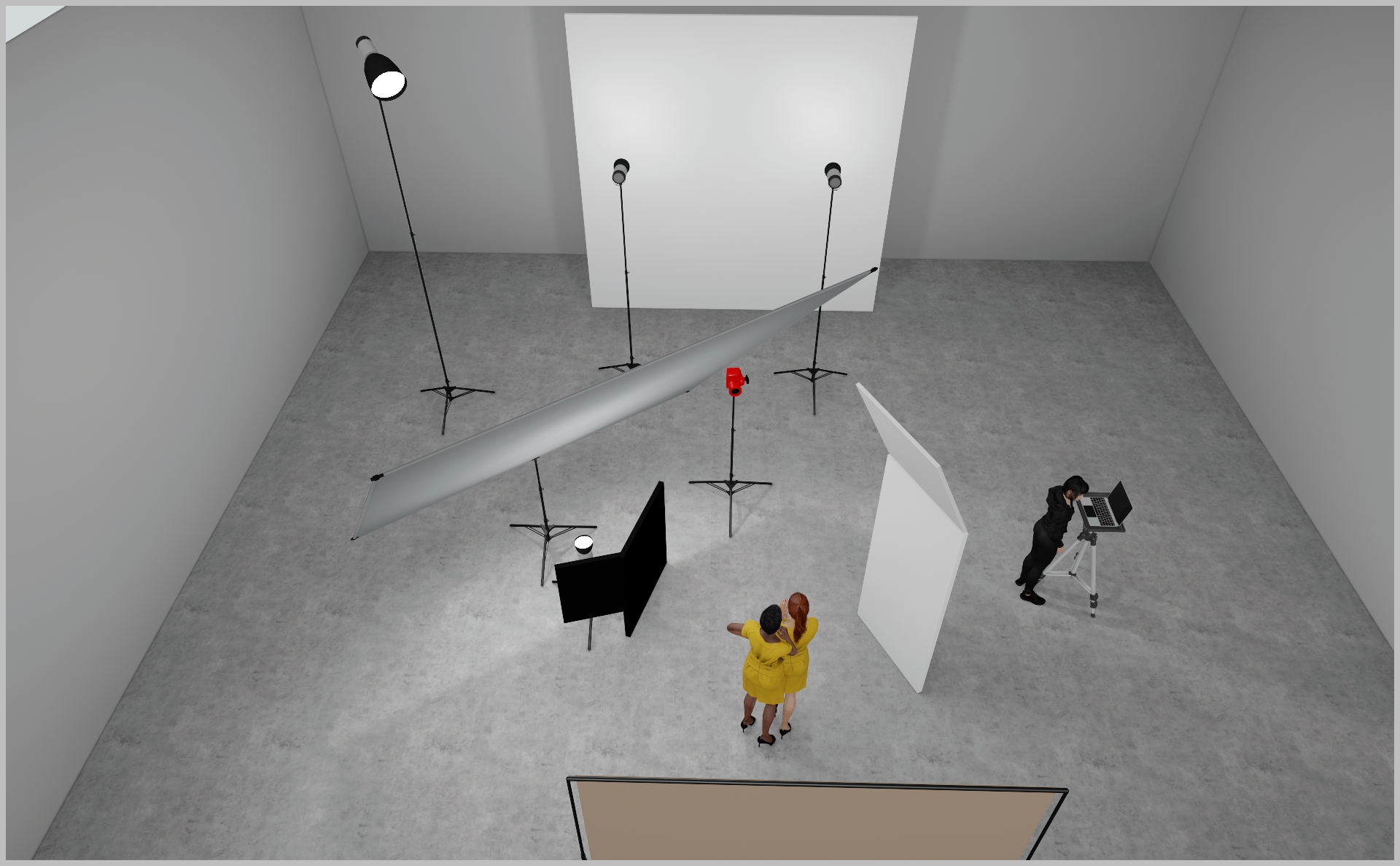
PROJECT DETAILS
CRAFTING THE LIGHT
BEFORE AND AFTER
Transformation made visible.
TOOLS
Equipment List
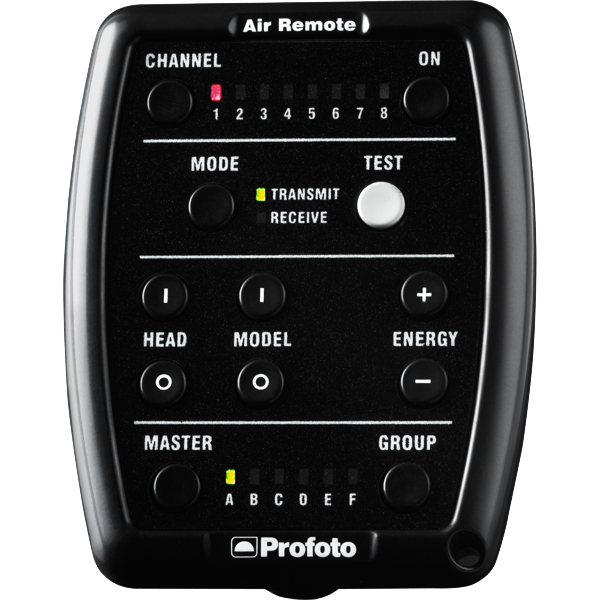
Profoto Air Remote
A wireless transmitter that mounts on the camera’s hot shoe to control Profoto lights remotely. Supports TTL, manual power adjustment, and high-speed sync. Why it’s used: Enables precise, cable-free control of flash settings from the camera position, streamlining workflow and allowing quick lighting adjustments during a shoot.
A wireless transmitter that mounts on the camera’s hot shoe to control Profoto lights remotely. Supports TTL, manual power adjustment, and high-speed sync. Why it’s used: Enables precise, cable-free control of flash settings from the camera position, streamlining workflow and allowing quick lighting adjustments during a shoot.
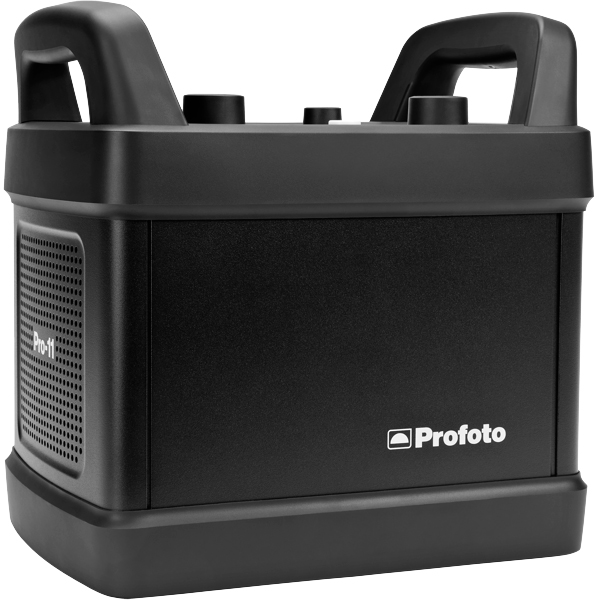
Profoto Pro 11
A top-tier 2400 Ws studio generator offering ultra-fast flash durations, short recycle times, and exceptional color consistency. Features wireless control and AirX connectivity for remote operation.
Why it’s used: Delivers unmatched speed, power, and reliability for high-end fashion, beauty, and commercial shoots where precision and performance are critical.
A top-tier 2400 Ws studio generator offering ultra-fast flash durations, short recycle times, and exceptional color consistency. Features wireless control and AirX connectivity for remote operation.
Why it’s used: Delivers unmatched speed, power, and reliability for high-end fashion, beauty, and commercial shoots where precision and performance are critical.
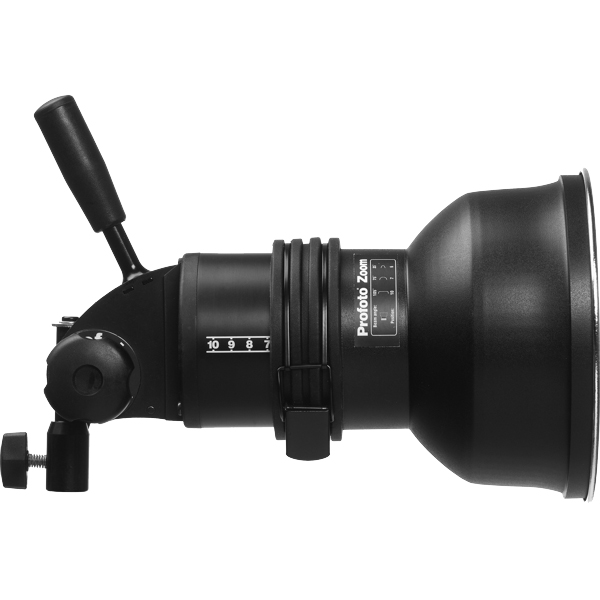
Profoto ProHead
A high-performance flash head designed for use with Profoto’s Pro-series generators. Built for durability, fast recycling, and consistent color output, even at high power.
Why it’s used: Delivers powerful, reliable lighting for demanding studio and location work, supporting a wide range of Profoto modifiers for maximum creative control.
A high-performance flash head designed for use with Profoto’s Pro-series generators. Built for durability, fast recycling, and consistent color output, even at high power.
Why it’s used: Delivers powerful, reliable lighting for demanding studio and location work, supporting a wide range of Profoto modifiers for maximum creative control.
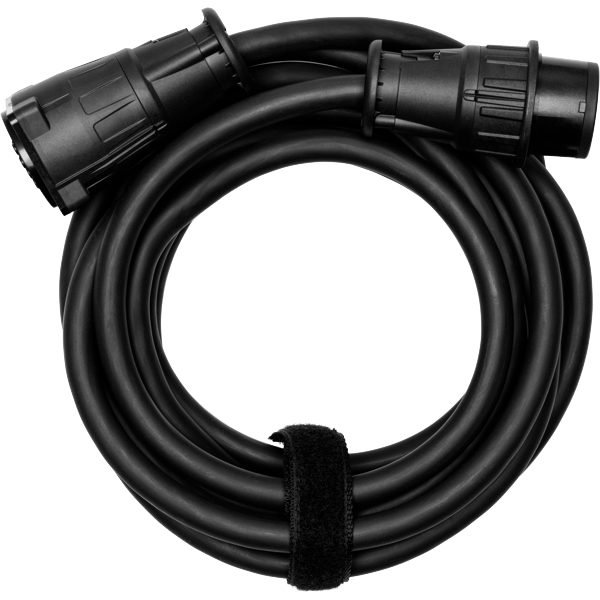
Profoto Extension Cable
A heavy-duty cable that extends the distance between a Profoto generator and its flash head. Designed to handle high power loads without loss of performance.
Why it’s used: Provides flexibility in light placement on large sets or challenging locations, allowing equipment to be positioned safely and creatively without being limited by generator proximity.
A heavy-duty cable that extends the distance between a Profoto generator and its flash head. Designed to handle high power loads without loss of performance.
Why it’s used: Provides flexibility in light placement on large sets or challenging locations, allowing equipment to be positioned safely and creatively without being limited by generator proximity.
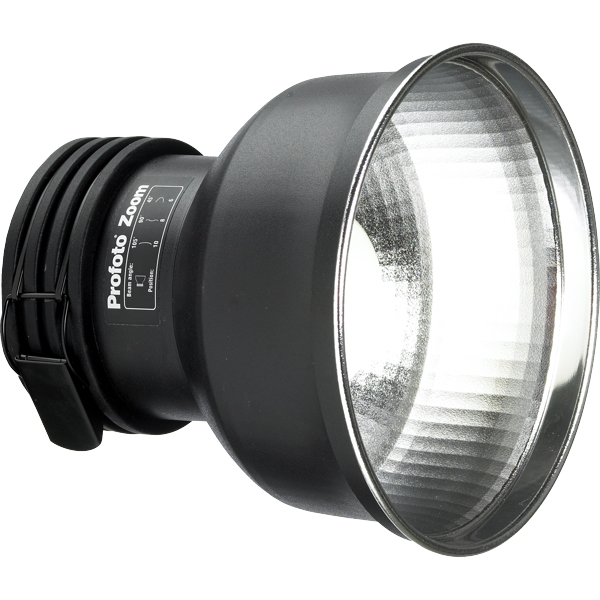
Profoto Zoom Reflector
A versatile hard light modifier for Profoto flash heads, featuring an adjustable zoom function to change the beam spread from wide to focused.
Why it’s used: Provides crisp, punchy light with controllable spread, making it suitable for everything from general illumination to accent lighting in both studio and location work.
A versatile hard light modifier for Profoto flash heads, featuring an adjustable zoom function to change the beam spread from wide to focused.
Why it’s used: Provides crisp, punchy light with controllable spread, making it suitable for everything from general illumination to accent lighting in both studio and location work.
Profoto Pro Fresnel Spot
A large Fresnel lens attachment for Profoto flash heads that produces a focused, theatre-style beam with adjustable spread.
Why it’s used: Creates a dramatic, high-contrast light with beautiful fall-off, ideal for cinematic portraits, fashion editorials, and situations where a classic spotlight effect is desired.
A large Fresnel lens attachment for Profoto flash heads that produces a focused, theatre-style beam with adjustable spread.
Why it’s used: Creates a dramatic, high-contrast light with beautiful fall-off, ideal for cinematic portraits, fashion editorials, and situations where a classic spotlight effect is desired.
Poly Board White Large
A large, rigid panel made from white foam core or similar material, used to reflect light. Lightweight and easy to position around the set.
Why it’s used: Bounces light back onto the subject to fill in shadows, soften contrast, and create a more even, flattering illumination.
A large, rigid panel made from white foam core or similar material, used to reflect light. Lightweight and easy to position around the set.
Why it’s used: Bounces light back onto the subject to fill in shadows, soften contrast, and create a more even, flattering illumination.
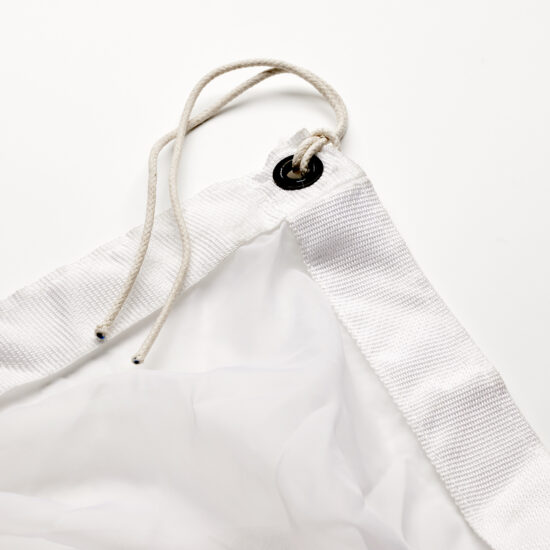
China Silk
A lightweight, finely woven silk fabric available in white or black versions, traditionally used on frames for light control.
Why it’s used: The white version diffuses light to create a soft, flattering effect, while the black version subtly reduces light without changing its quality — both offering a smooth, natural look for high-end shoots.
A lightweight, finely woven silk fabric available in white or black versions, traditionally used on frames for light control.
Why it’s used: The white version diffuses light to create a soft, flattering effect, while the black version subtly reduces light without changing its quality — both offering a smooth, natural look for high-end shoots.
Get your full EQ list here

Project Intro
The goal of this setup is to create a soft, but punchy commercial fashion light that perfectly highlights the products. Let`s jump in!
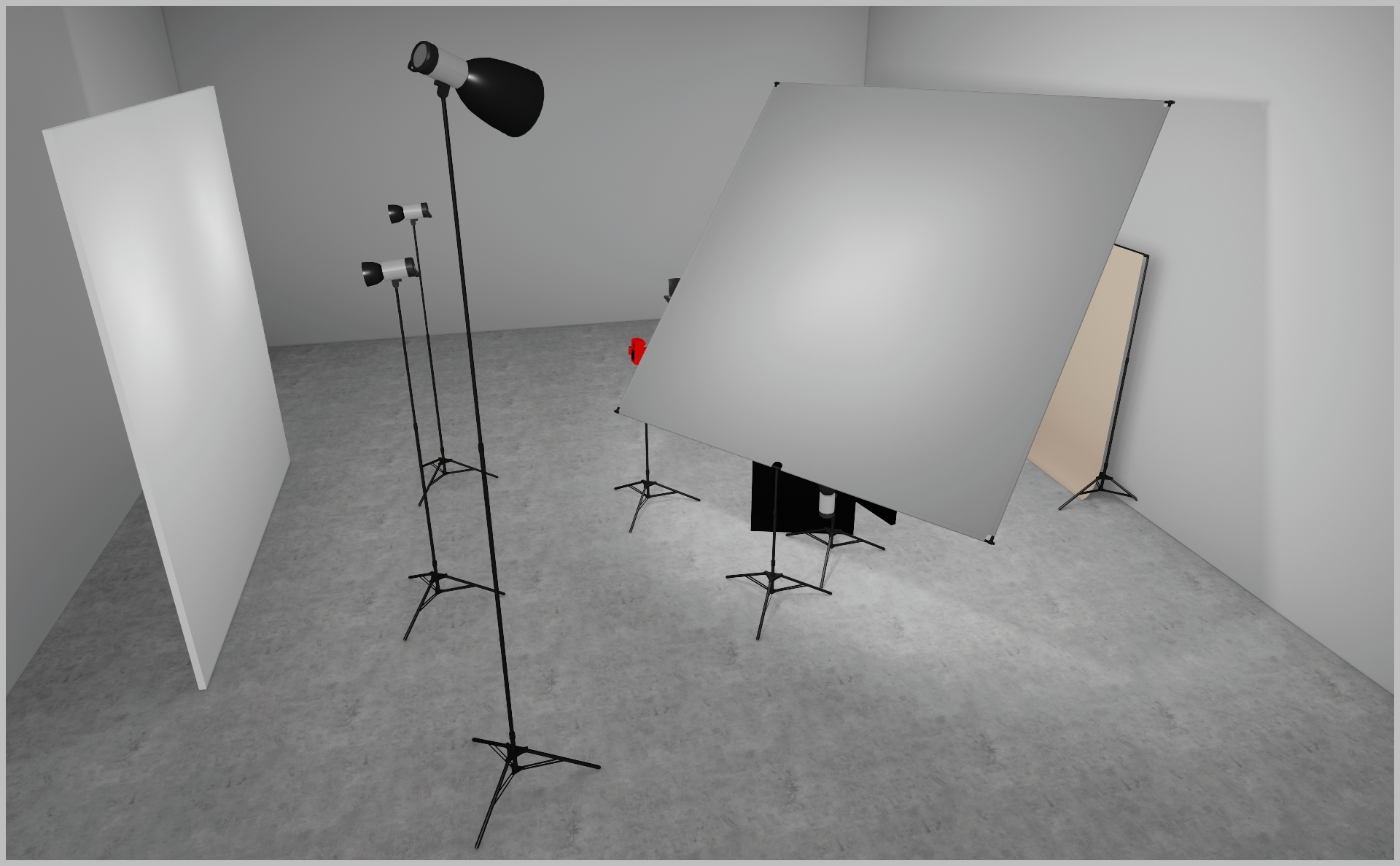
STEP 1
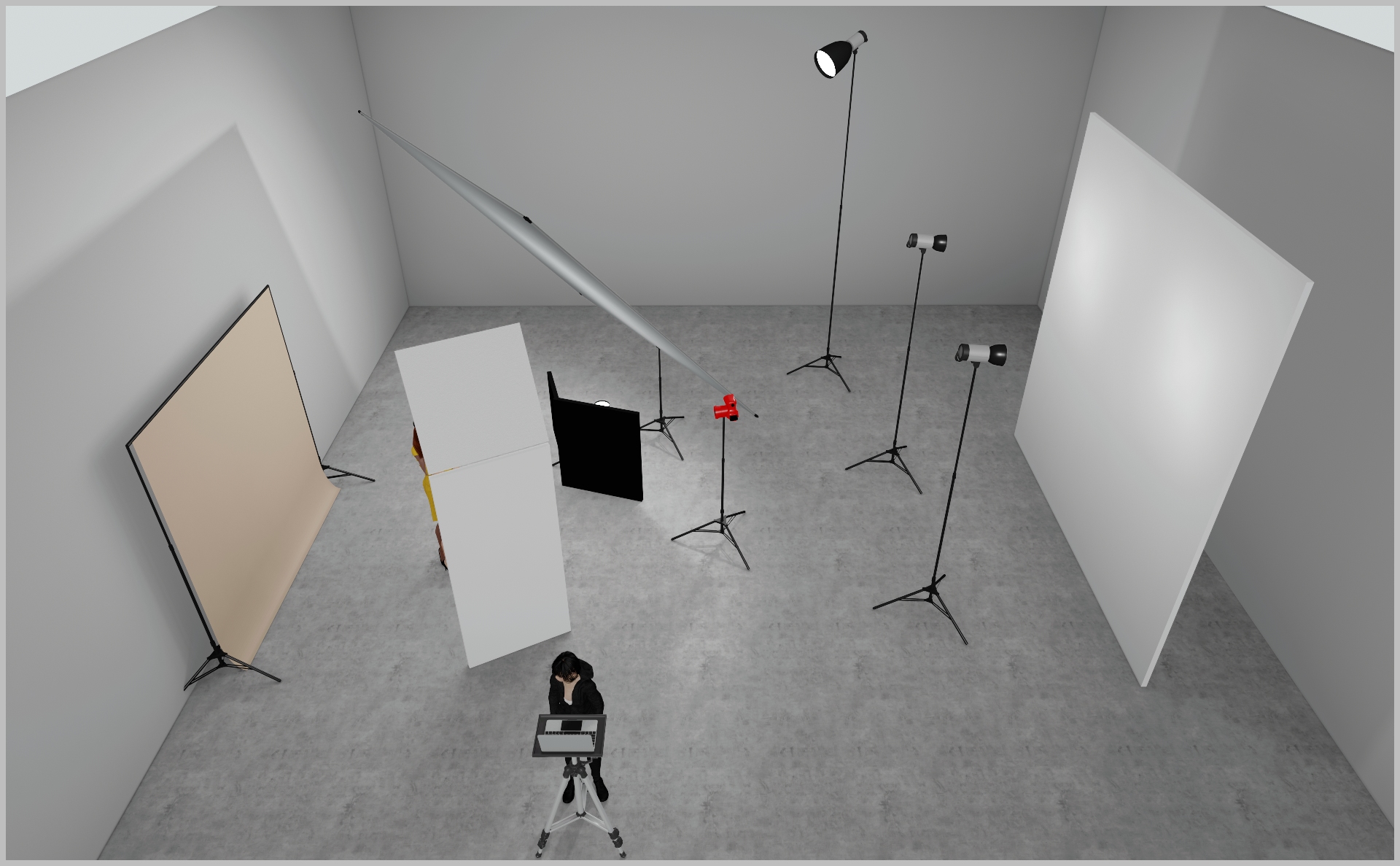
- Mount a 12×12 frame with 12×12 Silk fabric as shown in the 3D render.
- Position a Profoto ProFresnel (or Magnum reflector) a few feet behind the frame, aimed at its center - this is your key light.
- Shooting a hard Fresnel through ¼-Silk gives soft yet punchy light.
- Start at power 7.0 and adjust to taste.
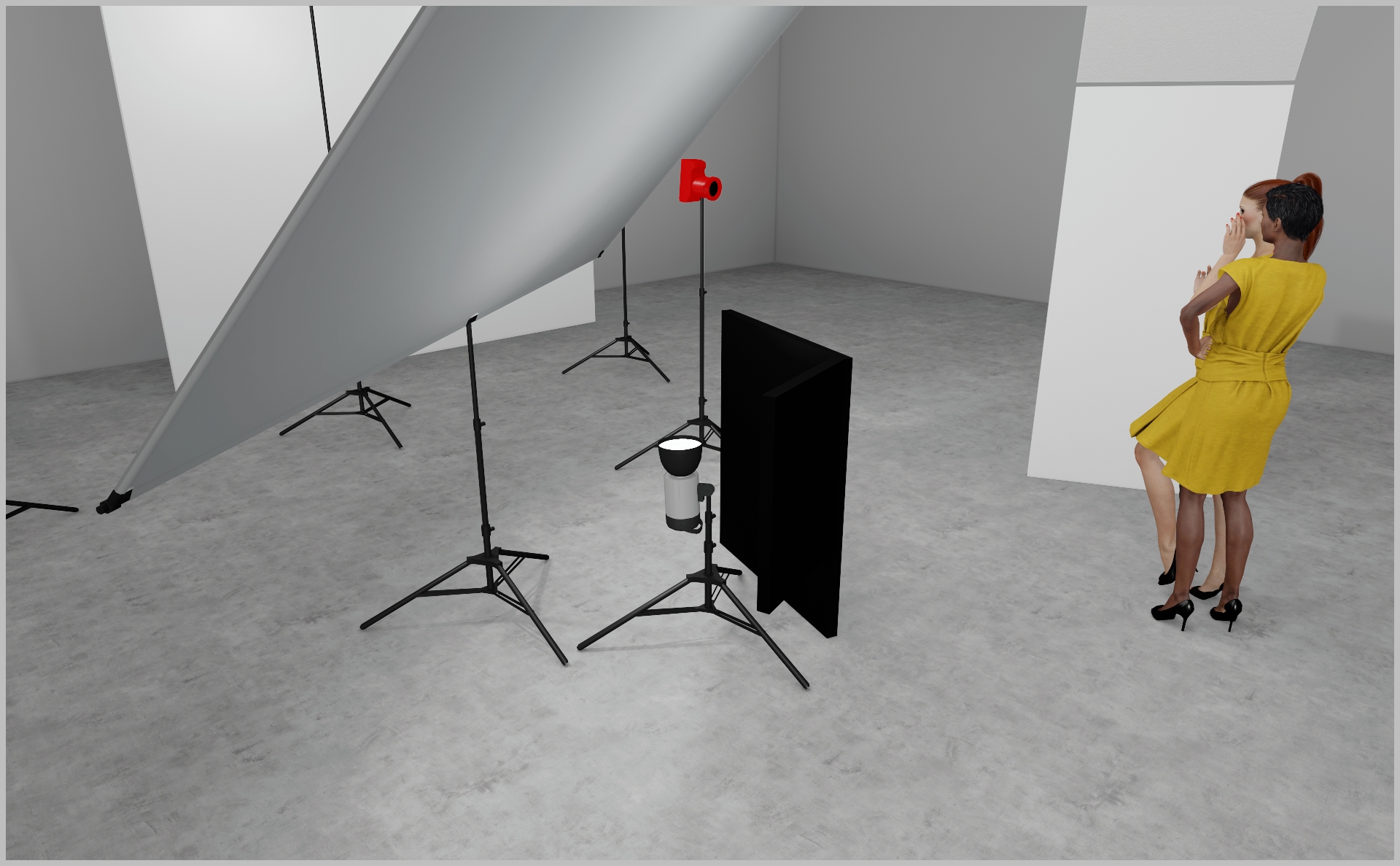
STEP 2
- Mount a Profoto ProHead with Zoom Reflector directly beneath the frame, aiming upward into the silk.
- Flag the head with a black polyboard or floppy flag to prevent spill.
- Bounce light into the silk for extra softness.
- Start at power 3.0 and tweak to taste.
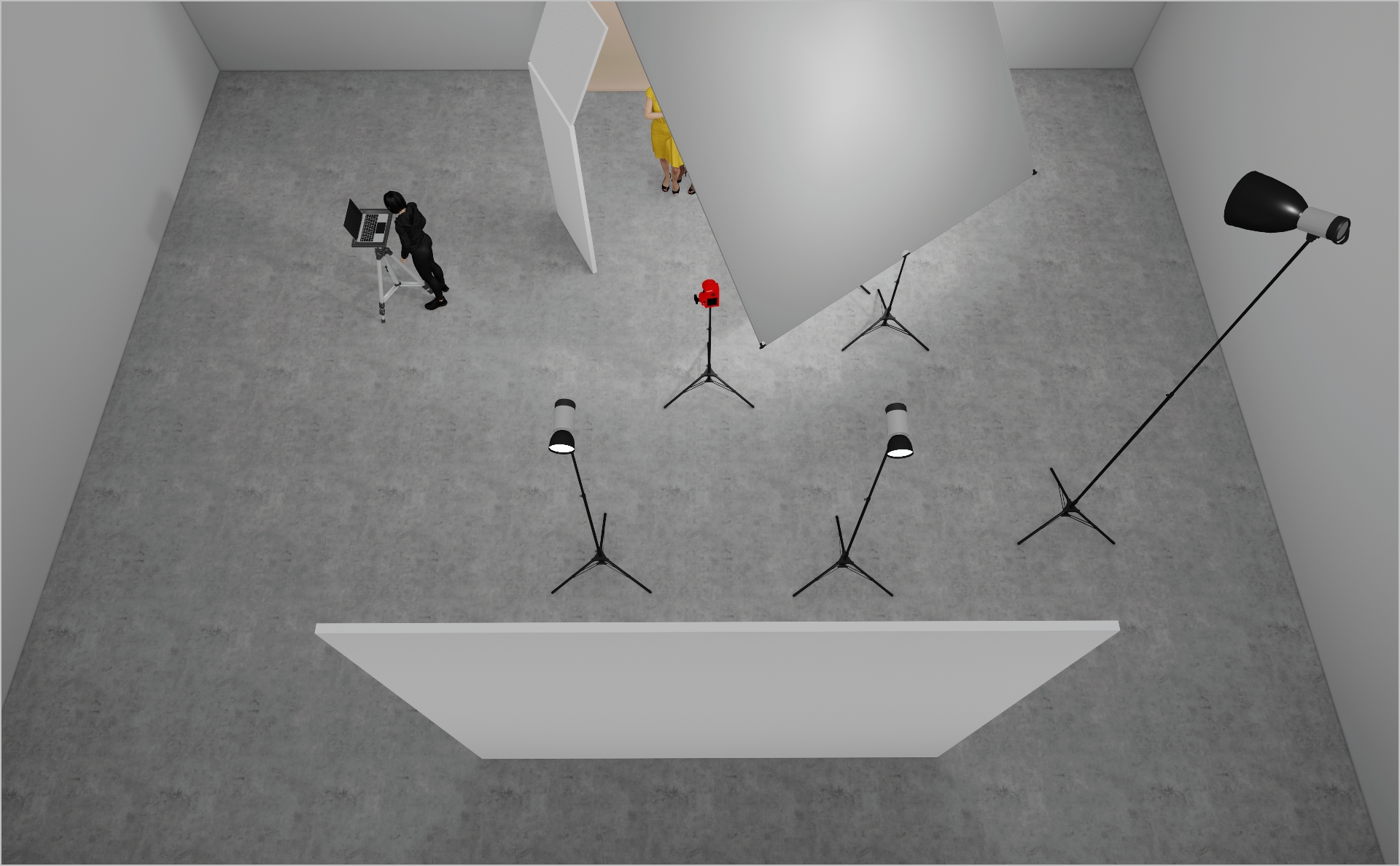
STEP 3
- Mount two Profoto ProHeads with Zoom Reflectors at equal height, aimed at a nearby wall or white polyboards to bounce soft fill light back into the set.
- Start at power 5.0 and tweak until shadows lift for an even softer feel.
- Optionally position a white polyboard beside the model for extra gentle fill.
- Camera settings: 1/160 s, ƒ/11, ISO 160 (adjust to taste).
PROJECT DETAILS
CRAFTING THE LIGHT
Project Intro
The goal of this setup is to create a soft, but punchy commercial fashion light that perfectly highlights the products. Let`s jump in!
BEFORE AND AFTER
Transformation made visible.
STEP 1
- Mount a 12×12 frame with 12×12 Silk fabric as shown in the 3D render.
- Position a Profoto ProFresnel (or Magnum reflector) a few feet behind the frame, aimed at its center - this is your key light.
- Shooting a hard Fresnel through ¼-Silk gives soft yet punchy light.
- Start at power 7.0 and adjust to taste.
STEP 2
- Mount a Profoto ProHead with Zoom Reflector directly beneath the frame, aiming upward into the silk.
- Flag the head with a black polyboard or floppy flag to prevent spill.
- Bounce light into the silk for extra softness.
- Start at power 3.0 and tweak to taste.
STEP 3
- Mount two Profoto ProHeads with Zoom Reflectors at equal height, aimed at a nearby wall or white polyboards to bounce soft fill light back into the set.
- Start at power 5.0 and tweak until shadows lift for an even softer feel.
- Optionally position a white polyboard beside the model for extra gentle fill.
- Camera settings: 1/160 s, ƒ/11, ISO 160 (adjust to taste).
BEFORE AND AFTER
A closer look at professional environments.
TOOLS
Equipment List
Profoto Air Remote
A wireless transmitter that mounts on the camera’s hot shoe to control Profoto lights remotely. Supports TTL, manual power adjustment, and high-speed sync. Why it’s used: Enables precise, cable-free control of flash settings from the camera position, streamlining workflow and allowing quick lighting adjustments during a shoot.

A wireless transmitter that mounts on the camera’s hot shoe to control Profoto lights remotely. Supports TTL, manual power adjustment, and high-speed sync. Why it’s used: Enables precise, cable-free control of flash settings from the camera position, streamlining workflow and allowing quick lighting adjustments during a shoot.
Profoto Pro 11
A top-tier 2400 Ws studio generator offering ultra-fast flash durations, short recycle times, and exceptional color consistency. Features wireless control and AirX connectivity for remote operation.
Why it’s used: Delivers unmatched speed, power, and reliability for high-end fashion, beauty, and commercial shoots where precision and performance are critical.
A top-tier 2400 Ws studio generator offering ultra-fast flash durations, short recycle times, and exceptional color consistency. Features wireless control and AirX connectivity for remote operation.
Why it’s used: Delivers unmatched speed, power, and reliability for high-end fashion, beauty, and commercial shoots where precision and performance are critical.
Profoto ProHead
A high-performance flash head designed for use with Profoto’s Pro-series generators. Built for durability, fast recycling, and consistent color output, even at high power.
Why it’s used: Delivers powerful, reliable lighting for demanding studio and location work, supporting a wide range of Profoto modifiers for maximum creative control.
A high-performance flash head designed for use with Profoto’s Pro-series generators. Built for durability, fast recycling, and consistent color output, even at high power.
Why it’s used: Delivers powerful, reliable lighting for demanding studio and location work, supporting a wide range of Profoto modifiers for maximum creative control.
Profoto Extension Cable
A heavy-duty cable that extends the distance between a Profoto generator and its flash head. Designed to handle high power loads without loss of performance.
Why it’s used: Provides flexibility in light placement on large sets or challenging locations, allowing equipment to be positioned safely and creatively without being limited by generator proximity.
A heavy-duty cable that extends the distance between a Profoto generator and its flash head. Designed to handle high power loads without loss of performance.
Why it’s used: Provides flexibility in light placement on large sets or challenging locations, allowing equipment to be positioned safely and creatively without being limited by generator proximity.
Profoto Zoom Reflector
A versatile hard light modifier for Profoto flash heads, featuring an adjustable zoom function to change the beam spread from wide to focused.
Why it’s used: Provides crisp, punchy light with controllable spread, making it suitable for everything from general illumination to accent lighting in both studio and location work.
A versatile hard light modifier for Profoto flash heads, featuring an adjustable zoom function to change the beam spread from wide to focused.
Why it’s used: Provides crisp, punchy light with controllable spread, making it suitable for everything from general illumination to accent lighting in both studio and location work.
Profoto Pro Fresnel Spot
A large Fresnel lens attachment for Profoto flash heads that produces a focused, theatre-style beam with adjustable spread.
Why it’s used: Creates a dramatic, high-contrast light with beautiful fall-off, ideal for cinematic portraits, fashion editorials, and situations where a classic spotlight effect is desired.
A large Fresnel lens attachment for Profoto flash heads that produces a focused, theatre-style beam with adjustable spread.
Why it’s used: Creates a dramatic, high-contrast light with beautiful fall-off, ideal for cinematic portraits, fashion editorials, and situations where a classic spotlight effect is desired.
Poly Board White Large
A large, rigid panel made from white foam core or similar material, used to reflect light. Lightweight and easy to position around the set.
Why it’s used: Bounces light back onto the subject to fill in shadows, soften contrast, and create a more even, flattering illumination.
A large, rigid panel made from white foam core or similar material, used to reflect light. Lightweight and easy to position around the set.
Why it’s used: Bounces light back onto the subject to fill in shadows, soften contrast, and create a more even, flattering illumination.
China Silk
A lightweight, finely woven silk fabric available in white or black versions, traditionally used on frames for light control.
Why it’s used: The white version diffuses light to create a soft, flattering effect, while the black version subtly reduces light without changing its quality — both offering a smooth, natural look for high-end shoots.
A lightweight, finely woven silk fabric available in white or black versions, traditionally used on frames for light control.
Why it’s used: The white version diffuses light to create a soft, flattering effect, while the black version subtly reduces light without changing its quality — both offering a smooth, natural look for high-end shoots.
Here you´ll find everything to elevate your career
UNLOCKED
Capture One Styles
MEMBER-EXCLUSIVE OFFERING
Mentoring
Rotate your device to see the content