PROJECT DETAILS
CRAFTING THE LIGHT
BEFORE AND AFTER
Transformation made visible.
TOOLS
Equipment List
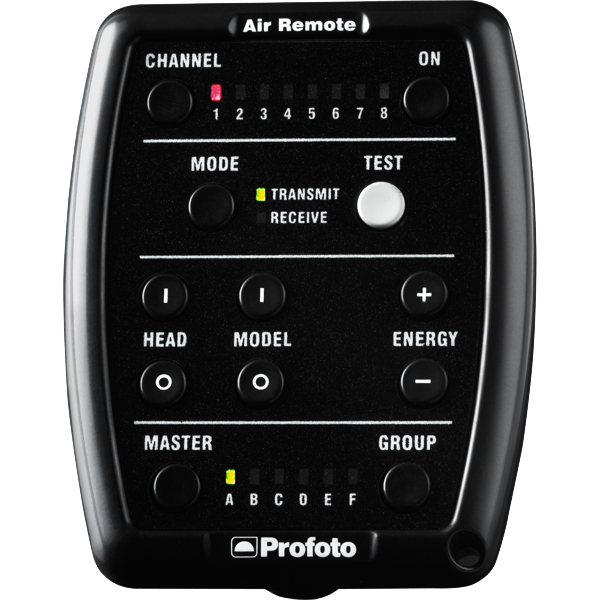
Profoto Air Remote
A wireless transmitter that mounts on the camera’s hot shoe to control Profoto lights remotely. Supports TTL, manual power adjustment, and high-speed sync. Why it’s used: Enables precise, cable-free control of flash settings from the camera position, streamlining workflow and allowing quick lighting adjustments during a shoot.
A wireless transmitter that mounts on the camera’s hot shoe to control Profoto lights remotely. Supports TTL, manual power adjustment, and high-speed sync. Why it’s used: Enables precise, cable-free control of flash settings from the camera position, streamlining workflow and allowing quick lighting adjustments during a shoot.
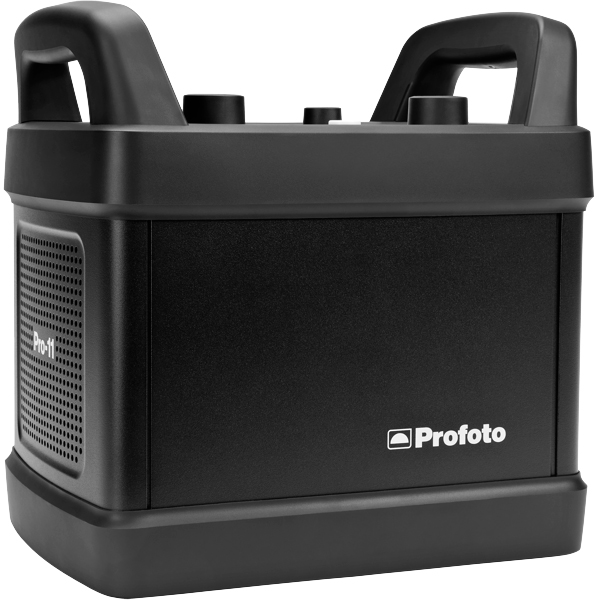
Profoto Pro 11
A top-tier 2400 Ws studio generator offering ultra-fast flash durations, short recycle times, and exceptional color consistency. Features wireless control and AirX connectivity for remote operation.
Why it’s used: Delivers unmatched speed, power, and reliability for high-end fashion, beauty, and commercial shoots where precision and performance are critical.
A top-tier 2400 Ws studio generator offering ultra-fast flash durations, short recycle times, and exceptional color consistency. Features wireless control and AirX connectivity for remote operation.
Why it’s used: Delivers unmatched speed, power, and reliability for high-end fashion, beauty, and commercial shoots where precision and performance are critical.
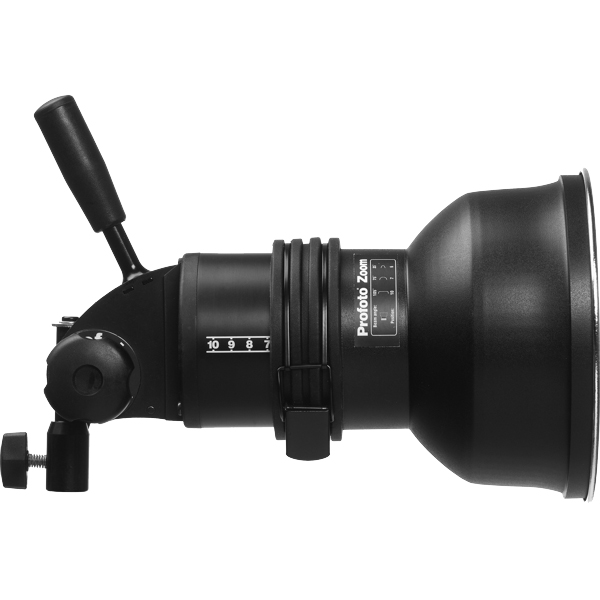
Profoto ProHead
A high-performance flash head designed for use with Profoto’s Pro-series generators. Built for durability, fast recycling, and consistent color output, even at high power.
Why it’s used: Delivers powerful, reliable lighting for demanding studio and location work, supporting a wide range of Profoto modifiers for maximum creative control.
A high-performance flash head designed for use with Profoto’s Pro-series generators. Built for durability, fast recycling, and consistent color output, even at high power.
Why it’s used: Delivers powerful, reliable lighting for demanding studio and location work, supporting a wide range of Profoto modifiers for maximum creative control.
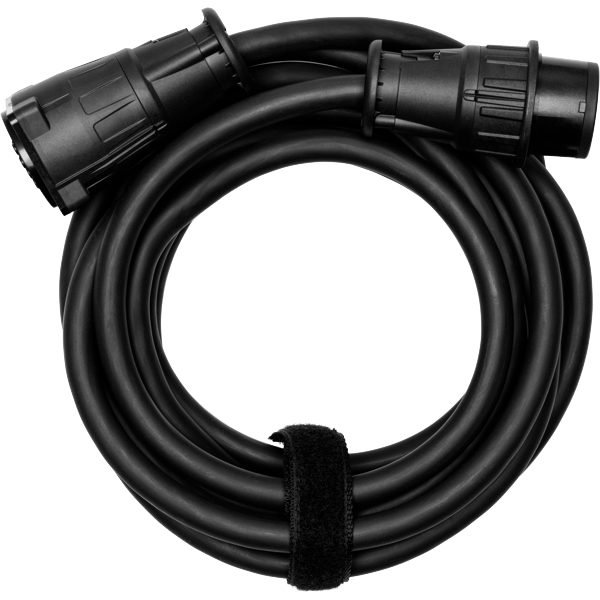
Profoto Extension Cable
A heavy-duty cable that extends the distance between a Profoto generator and its flash head. Designed to handle high power loads without loss of performance.
Why it’s used: Provides flexibility in light placement on large sets or challenging locations, allowing equipment to be positioned safely and creatively without being limited by generator proximity.
A heavy-duty cable that extends the distance between a Profoto generator and its flash head. Designed to handle high power loads without loss of performance.
Why it’s used: Provides flexibility in light placement on large sets or challenging locations, allowing equipment to be positioned safely and creatively without being limited by generator proximity.
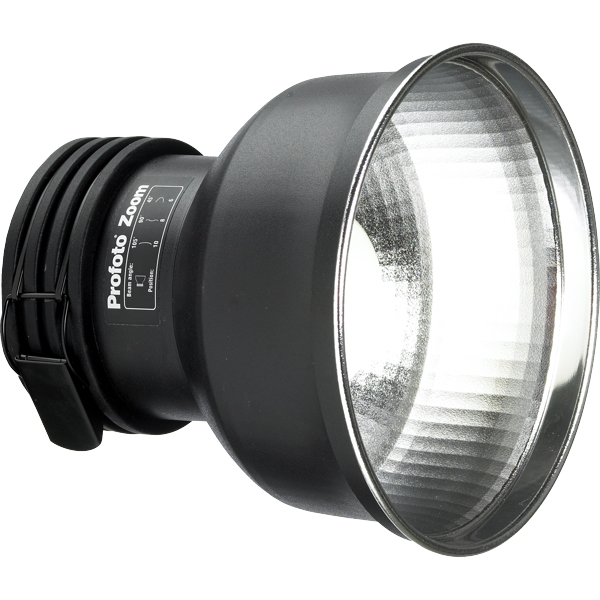
Profoto Zoom Reflector
A versatile hard light modifier for Profoto flash heads, featuring an adjustable zoom function to change the beam spread from wide to focused.
Why it’s used: Provides crisp, punchy light with controllable spread, making it suitable for everything from general illumination to accent lighting in both studio and location work.
A versatile hard light modifier for Profoto flash heads, featuring an adjustable zoom function to change the beam spread from wide to focused.
Why it’s used: Provides crisp, punchy light with controllable spread, making it suitable for everything from general illumination to accent lighting in both studio and location work.
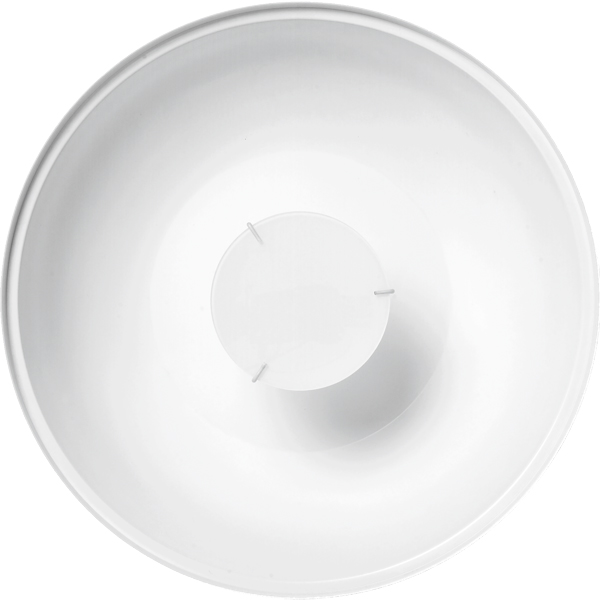
Profoto Softlight Reflector White (Beauty Dish)
A 65 cm white beauty dish designed for Profoto flash heads, producing a unique mix of soft, even light with a hint of crispness. The white interior offers a more gentle, flattering quality than silver versions.
Why it’s used: A go-to for fashion and beauty photography, delivering smooth skin tones, natural-looking highlights, and round catchlights while maintaining detail and shape.
Profoto Softlight Reflector White (Beauty Dish)
A 65 cm white beauty dish designed for Profoto flash heads, producing a unique mix of soft, even light with a hint of crispness. The white interior offers a more gentle, flattering quality than silver versions.
Why it’s used: A go-to for fashion and beauty photography, delivering smooth skin tones, natural-looking highlights, and round catchlights while maintaining detail and shape.
Profoto Umbrella Shallow White M
A medium-sized, shallow-profile umbrella with a white interior for soft, even light. Designed for quick setup and portability.
Why it’s used: Produces a flattering, diffused light with gentle contrast, ideal for portraits, beauty, and fashion shoots where a natural, soft look is desired.
Profoto Umbrella Shallow White M
A medium-sized, shallow-profile umbrella with a white interior for soft, even light. Designed for quick setup and portability.
Why it’s used: Produces a flattering, diffused light with gentle contrast, ideal for portraits, beauty, and fashion shoots where a natural, soft look is desired.
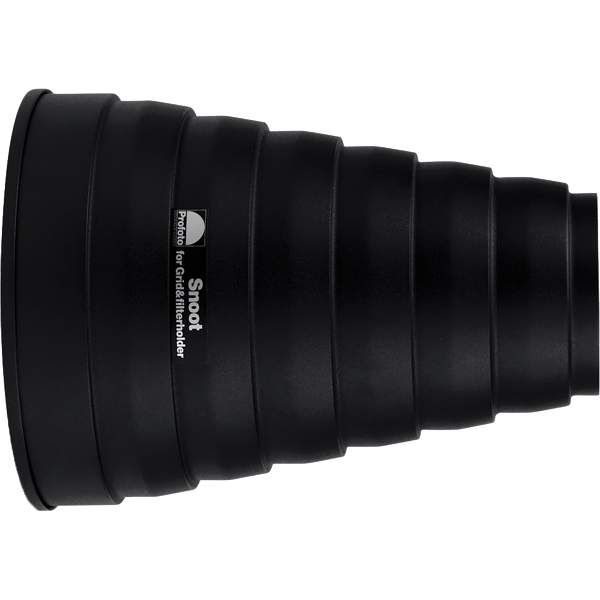
Profoto Snoot
A conical light modifier that narrows a flash head’s beam into a tight, focused spot. Easily attaches to Profoto heads for quick setup.
Why it’s used: Creates a concentrated beam for highlighting specific areas, adding accents, or producing dramatic lighting effects with strong contrast and minimal spill.
A conical light modifier that narrows a flash head’s beam into a tight, focused spot. Easily attaches to Profoto heads for quick setup.
Why it’s used: Creates a concentrated beam for highlighting specific areas, adding accents, or producing dramatic lighting effects with strong contrast and minimal spill.
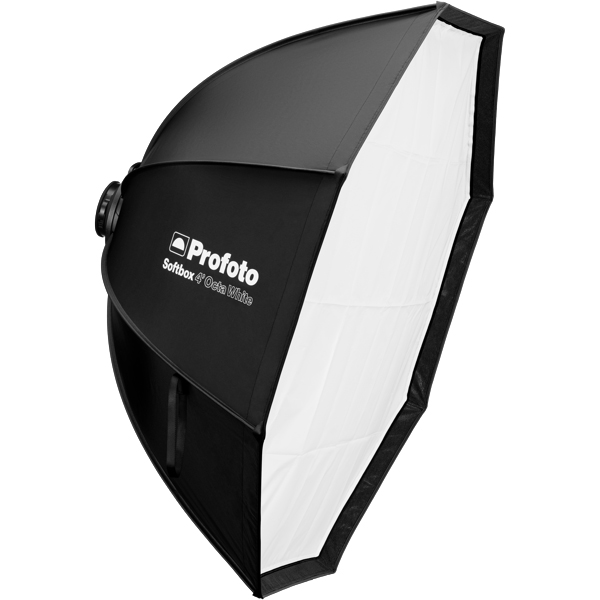
Profoto Softbox Octa 4"(120cm)
A 120 cm octagonal softbox that creates soft, even light with smooth fall-off and pleasing round catchlights. Compatible with Profoto flashes via the RFi speedring.
Why it’s used: Ideal for fashion, beauty, and portrait work where flattering, wraparound light and natural-looking reflections in the eyes are desired.
Profoto Softbox Octa 4"(120cm)
A 120 cm octagonal softbox that creates soft, even light with smooth fall-off and pleasing round catchlights. Compatible with Profoto flashes via the RFi speedring.
Why it’s used: Ideal for fashion, beauty, and portrait work where flattering, wraparound light and natural-looking reflections in the eyes are desired.
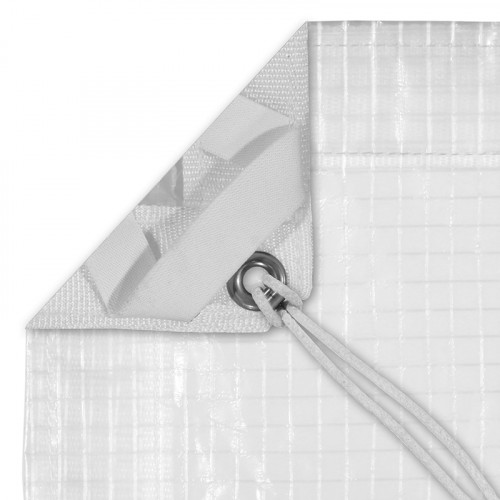
Grid Cloth
A durable, reinforced fabric with an embedded grid pattern, available in various densities from full to half-stop diffusion. Often mounted on frames or used as large overheads.
Why it’s used: Softens and spreads light while maintaining directional control, making it ideal for creating smooth, even illumination without excessive light spill.
A durable, reinforced fabric with an embedded grid pattern, available in various densities from full to half-stop diffusion. Often mounted on frames or used as large overheads.
Why it’s used: Softens and spreads light while maintaining directional control, making it ideal for creating smooth, even illumination without excessive light spill.
Get your full EQ list here

Project Intro
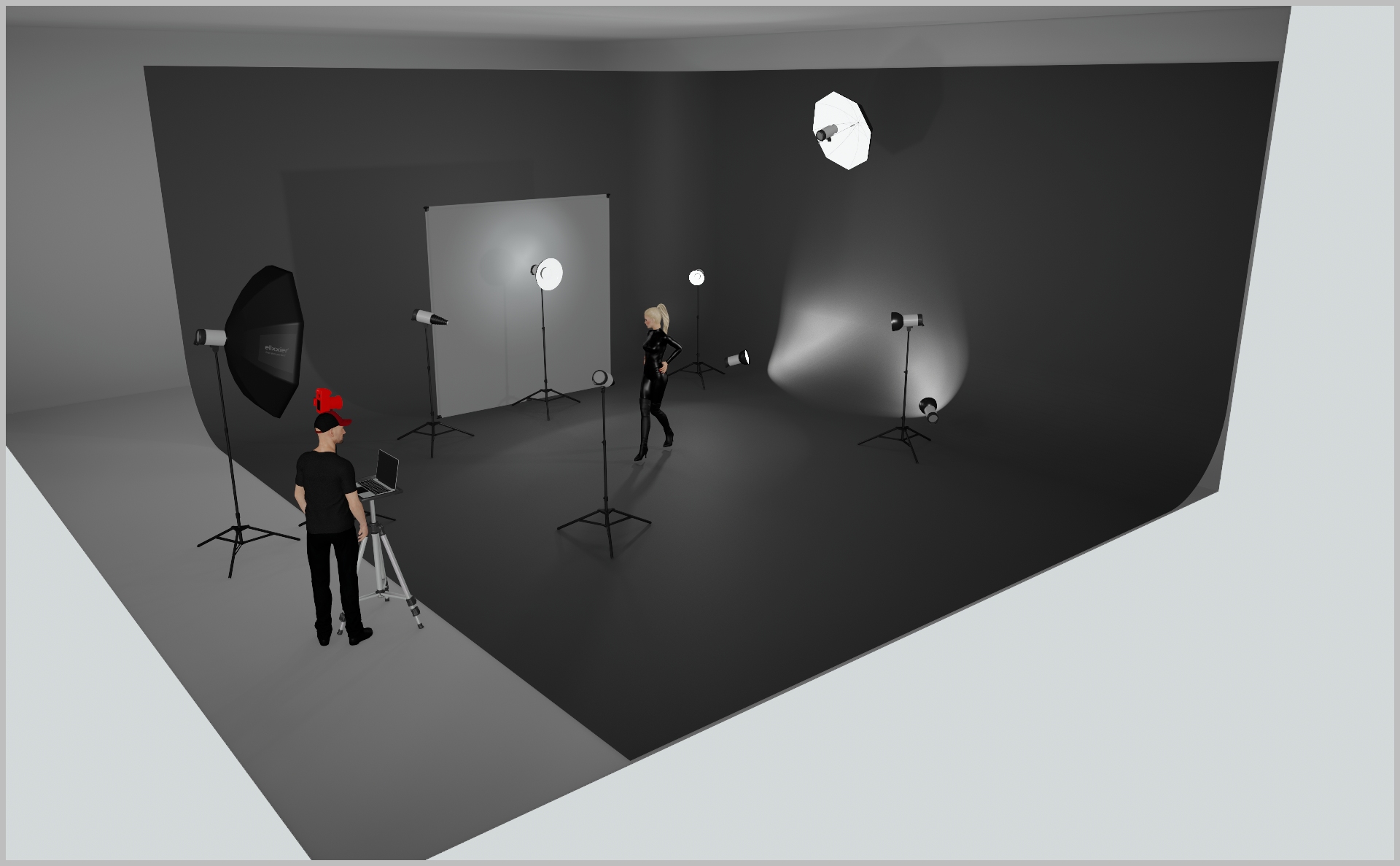
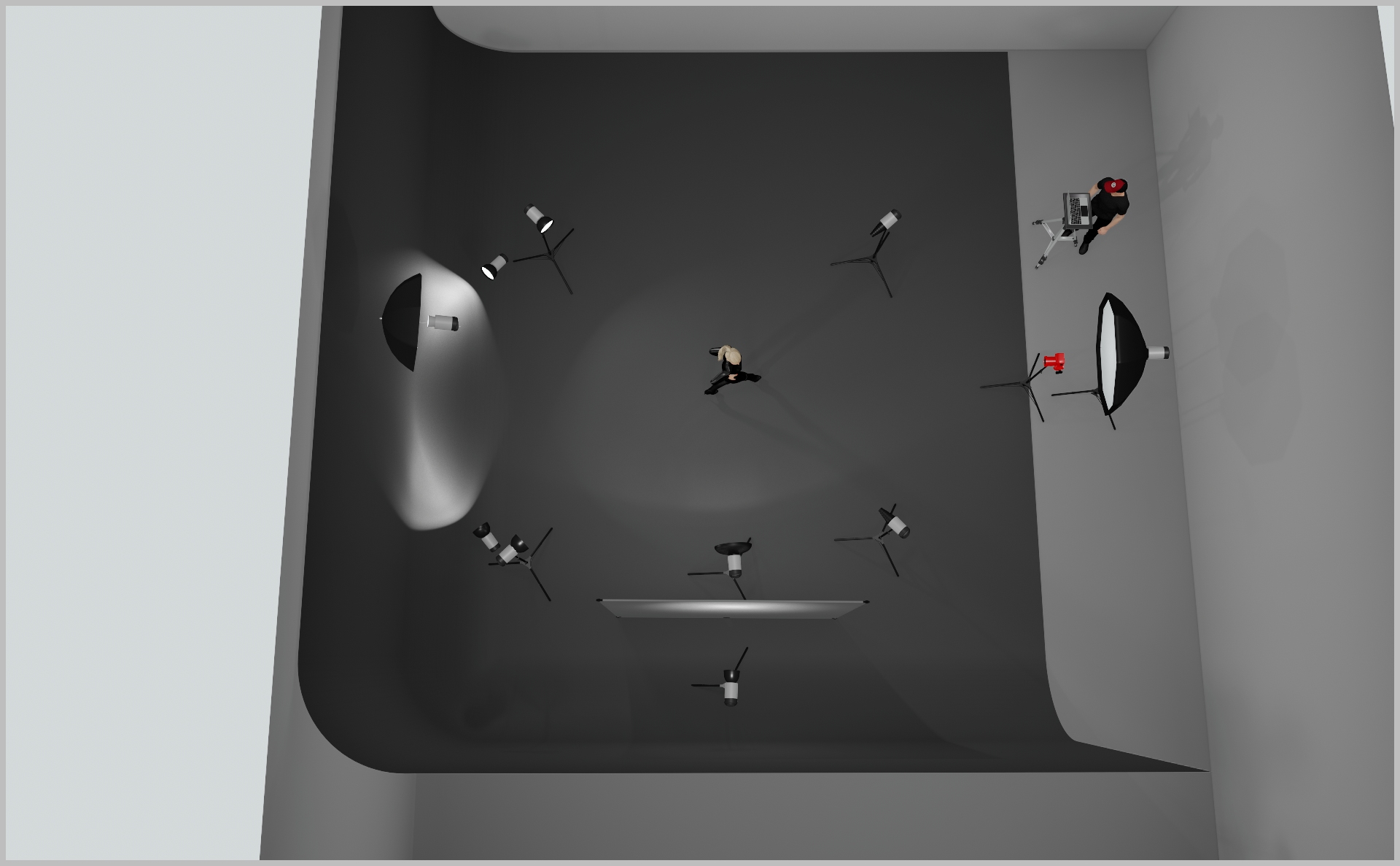
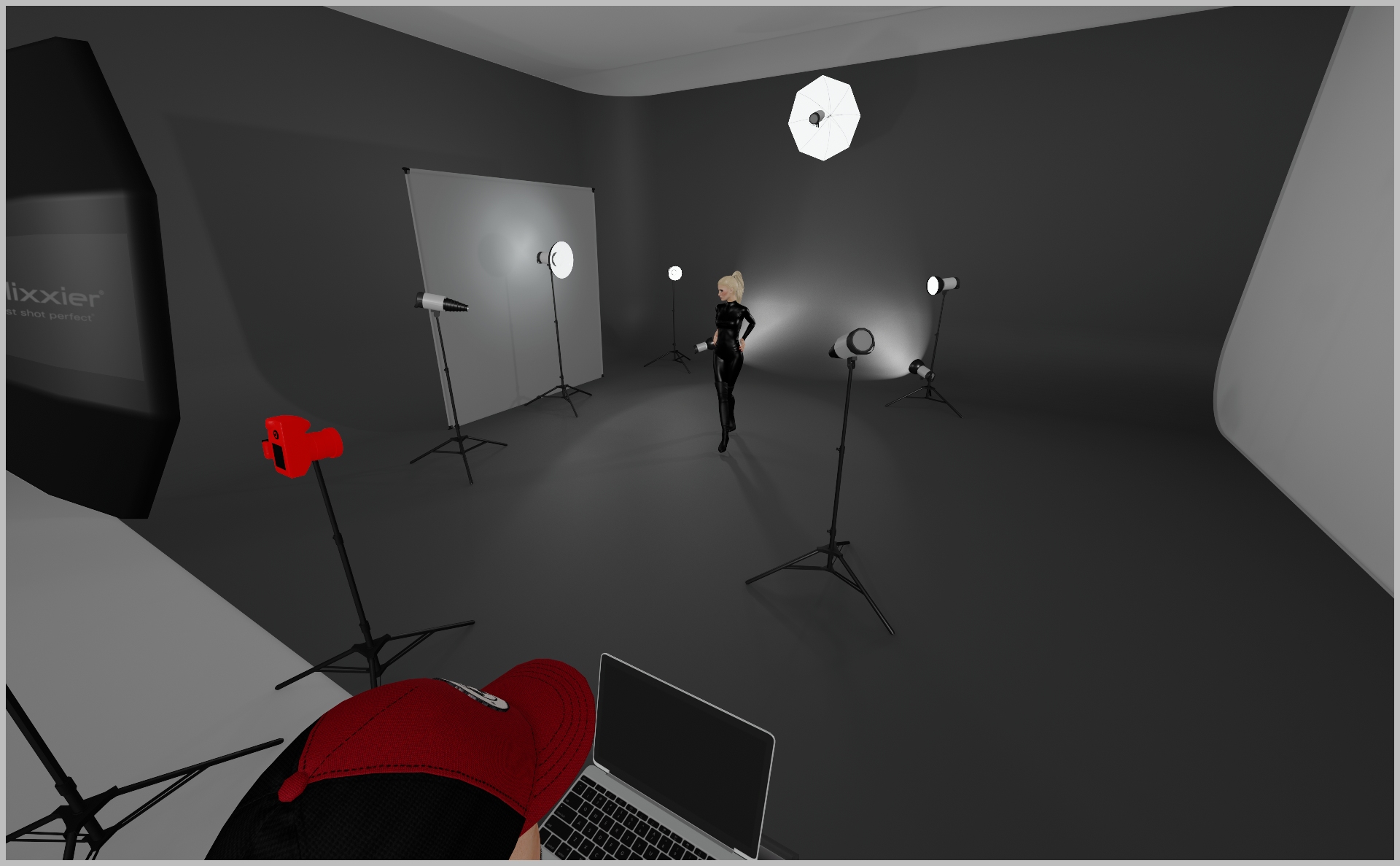
Our aim for this JUUN J. x PUMA Speedcat Global Campaign was to craft a modern, sophisticated 10 point lighting scheme that creates an outer space atmosphere while reinforcing the PUMA x JUUN J. Speedcat sneaker’s narrative.
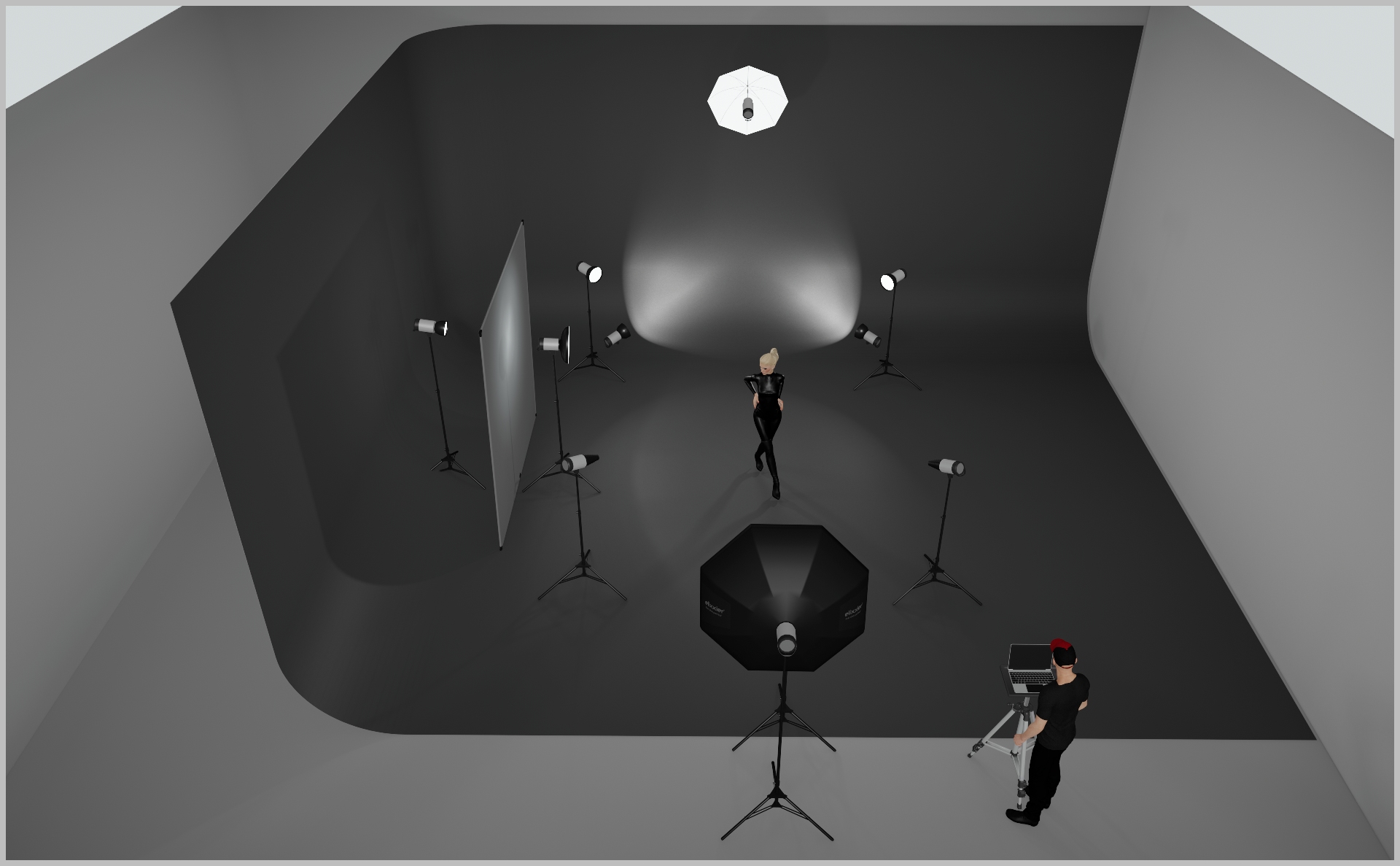
STEP 1
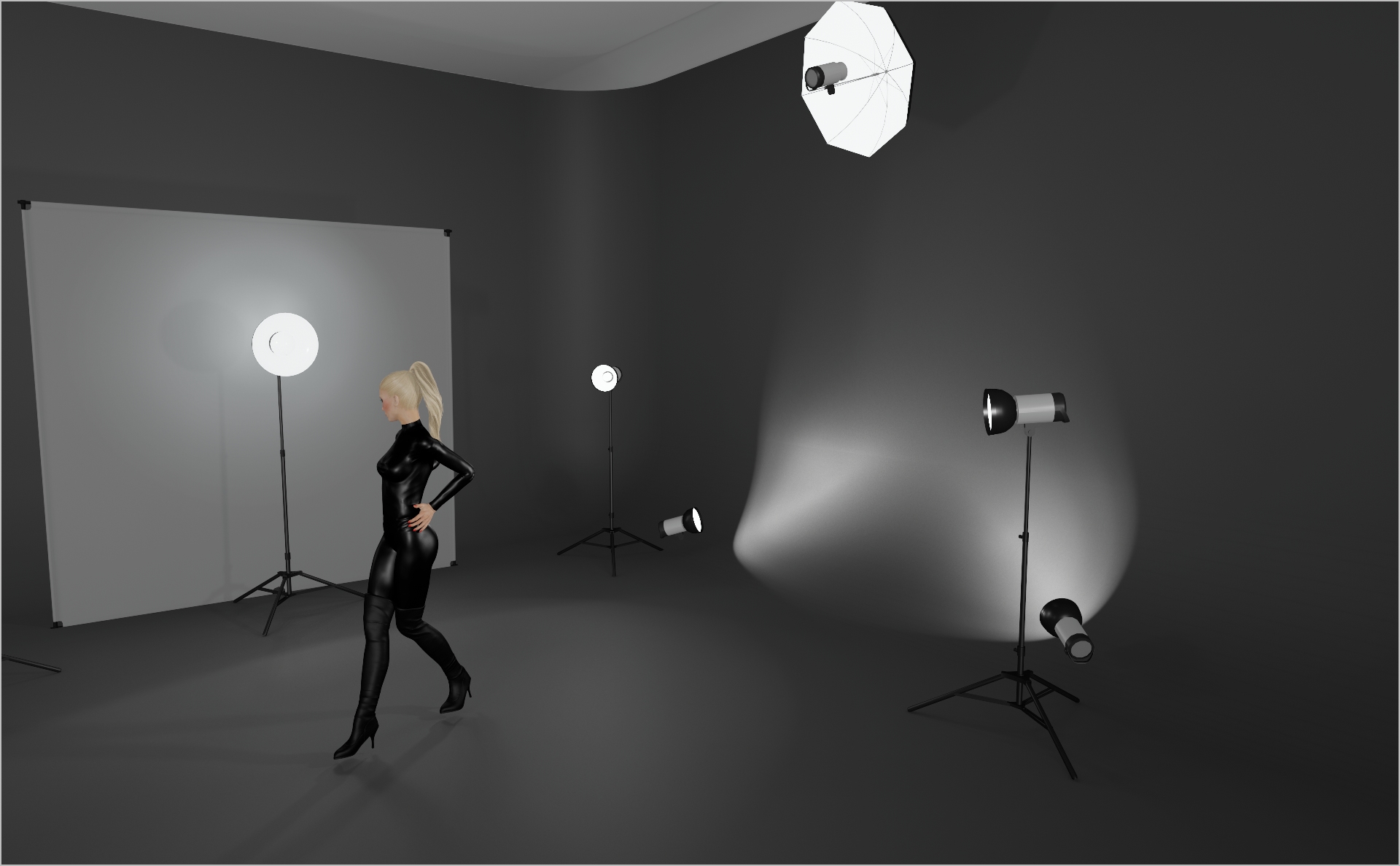
- Set up the 6×6 frame + gridcloth + grid on the left. Angle the frame at 90°.
- Behind the frame, position a Profoto ProHead with Zoom Reflector as your key light; start at power 8.0.
- Directly in front of the frame, mount a Profoto Beauty Dish on a ProHead at the same angle for crisp highlights and added contrast; start at Power 5.0.
STEP 2
- Add two Profoto ProHeads with Zoom Reflectors at the very bottom to create the backdrop gradient.
- Mount them low on stands and space them evenly so the gradient can fall smoothly.
- Start at Power 4.0 and adjust to suit your location.
STEP 3
- Add two Profoto ProHeads with Zoom Reflectors as kicker lights, aimed at the model’s shoulders and torso.
- Position them at model height on the far edges of the backdrop to separate her from the black environment.
- Start at Power 5.0 and tweak to taste.
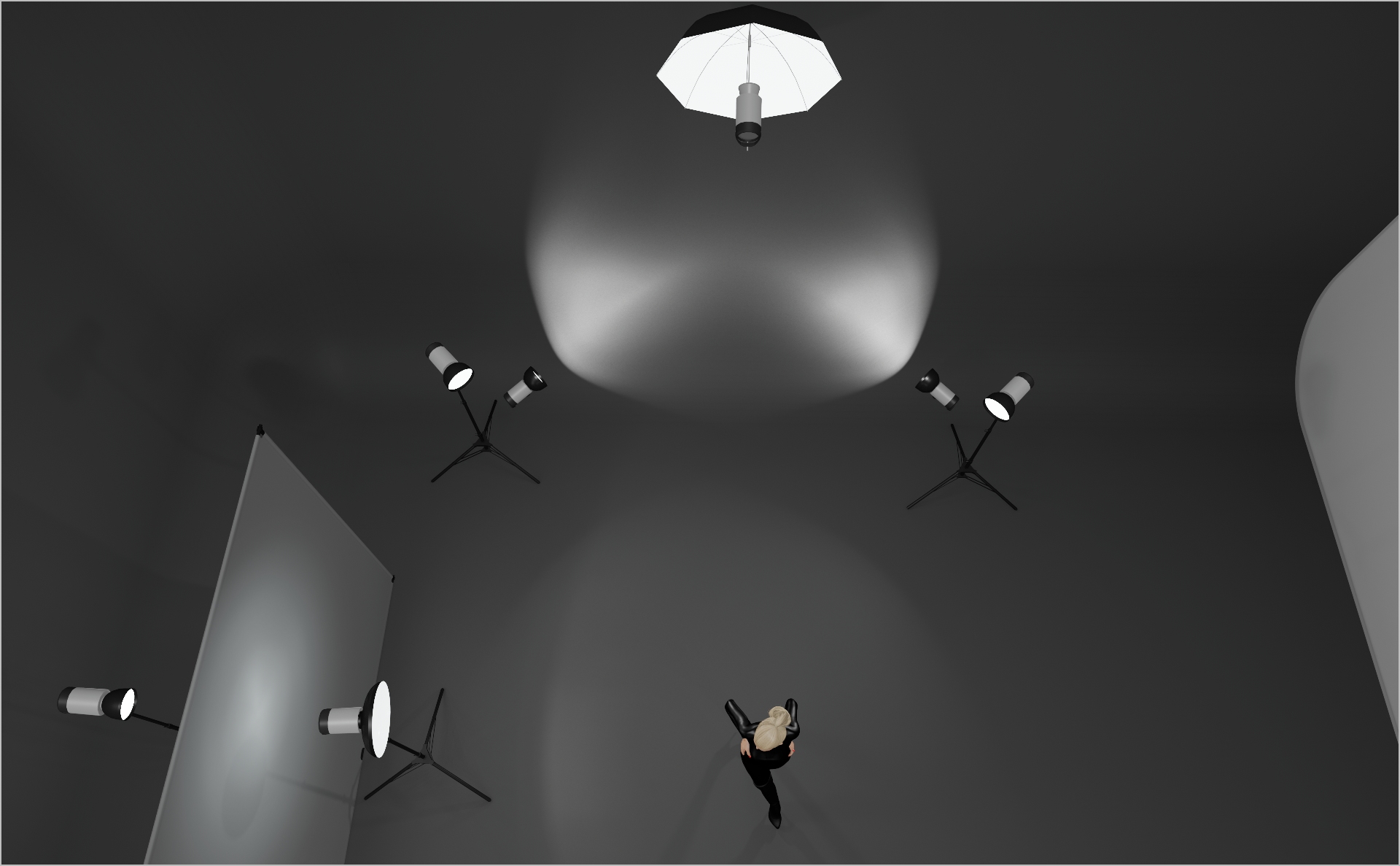
STEP 4
- Mount a Profoto Small White Umbrella on a ProHead, using a High-Roller stand + boom arm.
- Position it high above and directly centered behind the model, angled at around 90° so it only lights her hair and shoulders without spilling onto the backdrop.
- Start at Power 5.0 and fine-tune as needed.
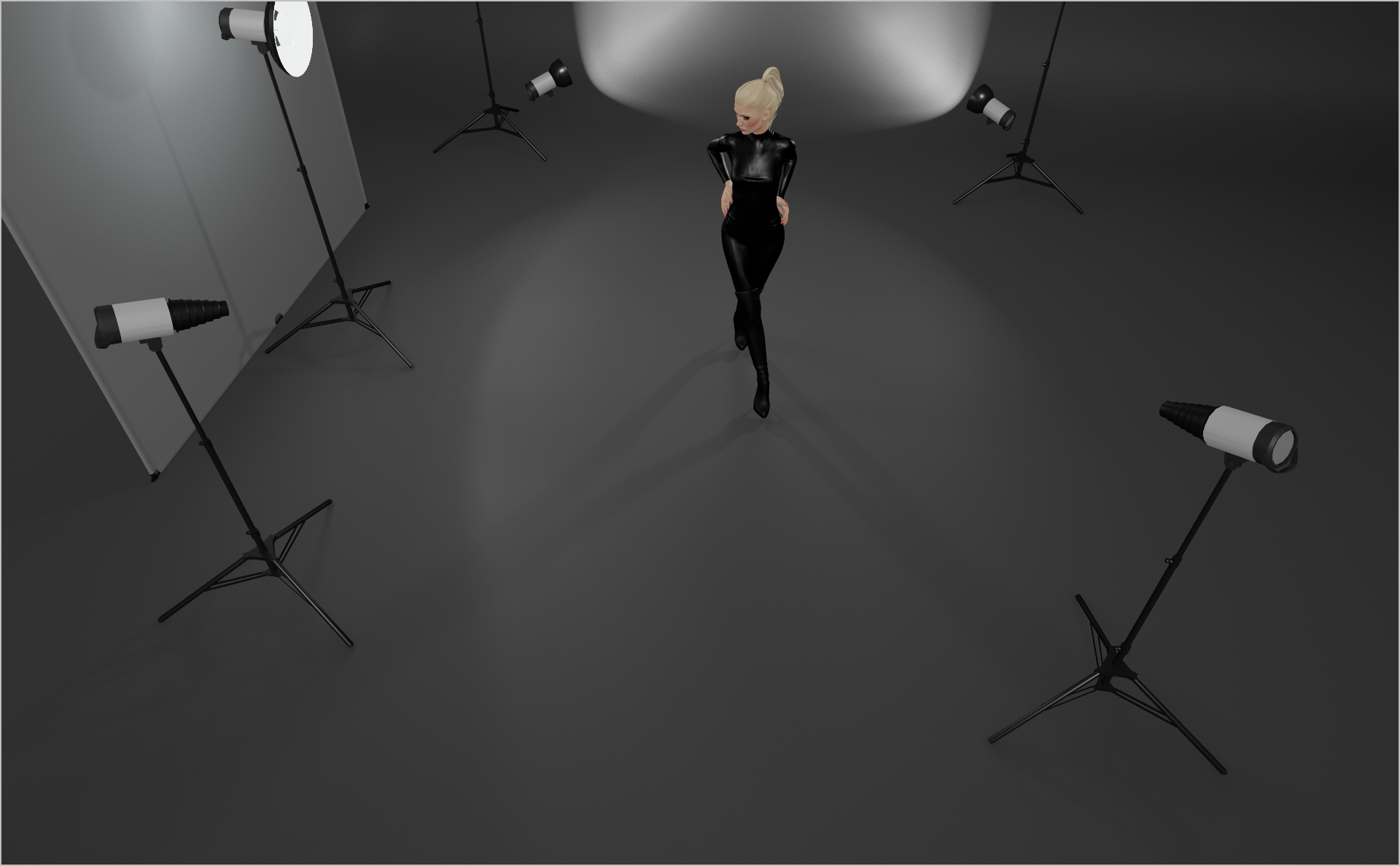
STEP 5
- Add two Profoto Snoots on ProHeads to pinpoint small areas (e.g., the face or, as in this campaign, the shoes).
- Position them to your taste to add some playful accents to your image.
- Start at Power 4.0 and tweak as needed
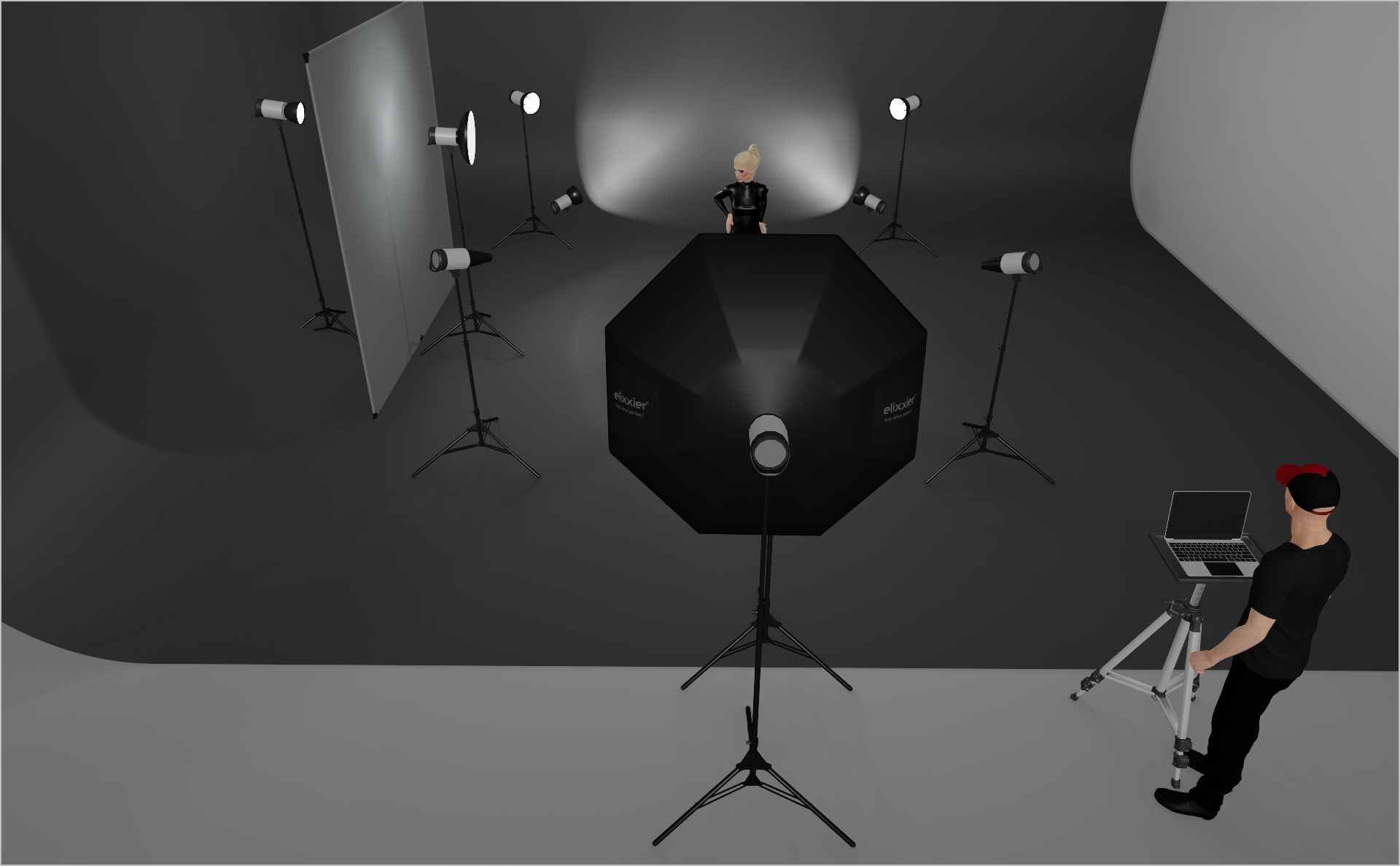
STEP 6
- Mount a Profoto 5” Octa RFI on a ProHead directly behind the camera to gently fill shadow areas on the model.
- Start at Power 2.0 and adjust as needed.
- Camera Settings: 1/160 s, f/9.0, ISO 125; tweak to fit your environment.
Credits
- Photographer Per Appelgren c/o SCHIERKE.HOTTAS Artists
- Light-Operator Liam Mulligan
- Model Laura Lind, Nino
- Hair & Make-Up Annika Lindgren
- Creative Direction by Sofie Broeng
- Producer Katrin Heuden
- Styling Smilla Marc
- Digi-Operator Jacob Carbuhn
- Retouching Nitty Gritty
PROJECT DETAILS
CRAFTING THE LIGHT
Project Intro
Our aim for this JUUN J. x PUMA Speedcat Global Campaign was to craft a modern, sophisticated 10 point lighting scheme that creates an outer space atmosphere while reinforcing the PUMA x JUUN J. Speedcat sneaker’s narrative.
BEFORE AND AFTER
Transformation made visible.
STEP 1
- Set up the 6×6 frame + gridcloth + grid on the left. Angle the frame at 90°.
- Behind the frame, position a Profoto ProHead with Zoom Reflector as your key light; start at power 8.0.
- Directly in front of the frame, mount a Profoto Beauty Dish on a ProHead at the same angle for crisp highlights and added contrast; start at Power 5.0.
STEP 2
- Add two Profoto ProHeads with Zoom Reflectors at the very bottom to create the backdrop gradient.
- Mount them low on stands and space them evenly so the gradient can fall smoothly.
- Start at Power 4.0 and adjust to suit your location.
STEP 3
- Add two Profoto ProHeads with Zoom Reflectors as kicker lights, aimed at the model’s shoulders and torso.
- Position them at model height on the far edges of the backdrop to separate her from the black environment.
- Start at Power 5.0 and tweak to taste.
STEP 4
- Mount a Profoto Small White Umbrella on a ProHead, using a High-Roller stand + boom arm.
- Position it high above and directly centered behind the model, angled at around 90° so it only lights her hair and shoulders without spilling onto the backdrop.
- Start at Power 5.0 and fine-tune as needed.
STEP 5
- Add two Profoto Snoots on ProHeads to pinpoint small areas (e.g., the face or, as in this campaign, the shoes).
- Position them to your taste to add some playful accents to your image.
- Start at Power 4.0 and tweak as needed
STEP 6
- Mount a Profoto 5” Octa RFI on a ProHead directly behind the camera to gently fill shadow areas on the model.
- Start at Power 2.0 and adjust as needed.
- Camera Settings: 1/160 s, f/9.0, ISO 125; tweak to fit your environment.
BEFORE AND AFTER
A closer look at professional environments.
TOOLS
Equipment List
Profoto Air Remote
A wireless transmitter that mounts on the camera’s hot shoe to control Profoto lights remotely. Supports TTL, manual power adjustment, and high-speed sync. Why it’s used: Enables precise, cable-free control of flash settings from the camera position, streamlining workflow and allowing quick lighting adjustments during a shoot.

A wireless transmitter that mounts on the camera’s hot shoe to control Profoto lights remotely. Supports TTL, manual power adjustment, and high-speed sync. Why it’s used: Enables precise, cable-free control of flash settings from the camera position, streamlining workflow and allowing quick lighting adjustments during a shoot.
Profoto Pro 11
A top-tier 2400 Ws studio generator offering ultra-fast flash durations, short recycle times, and exceptional color consistency. Features wireless control and AirX connectivity for remote operation.
Why it’s used: Delivers unmatched speed, power, and reliability for high-end fashion, beauty, and commercial shoots where precision and performance are critical.
A top-tier 2400 Ws studio generator offering ultra-fast flash durations, short recycle times, and exceptional color consistency. Features wireless control and AirX connectivity for remote operation.
Why it’s used: Delivers unmatched speed, power, and reliability for high-end fashion, beauty, and commercial shoots where precision and performance are critical.
Profoto ProHead
A high-performance flash head designed for use with Profoto’s Pro-series generators. Built for durability, fast recycling, and consistent color output, even at high power.
Why it’s used: Delivers powerful, reliable lighting for demanding studio and location work, supporting a wide range of Profoto modifiers for maximum creative control.
A high-performance flash head designed for use with Profoto’s Pro-series generators. Built for durability, fast recycling, and consistent color output, even at high power.
Why it’s used: Delivers powerful, reliable lighting for demanding studio and location work, supporting a wide range of Profoto modifiers for maximum creative control.
Profoto Extension Cable
A heavy-duty cable that extends the distance between a Profoto generator and its flash head. Designed to handle high power loads without loss of performance.
Why it’s used: Provides flexibility in light placement on large sets or challenging locations, allowing equipment to be positioned safely and creatively without being limited by generator proximity.
A heavy-duty cable that extends the distance between a Profoto generator and its flash head. Designed to handle high power loads without loss of performance.
Why it’s used: Provides flexibility in light placement on large sets or challenging locations, allowing equipment to be positioned safely and creatively without being limited by generator proximity.
Profoto Zoom Reflector
A versatile hard light modifier for Profoto flash heads, featuring an adjustable zoom function to change the beam spread from wide to focused.
Why it’s used: Provides crisp, punchy light with controllable spread, making it suitable for everything from general illumination to accent lighting in both studio and location work.
A versatile hard light modifier for Profoto flash heads, featuring an adjustable zoom function to change the beam spread from wide to focused.
Why it’s used: Provides crisp, punchy light with controllable spread, making it suitable for everything from general illumination to accent lighting in both studio and location work.
Profoto Softlight Reflector White (Beauty Dish)
A 65 cm white beauty dish designed for Profoto flash heads, producing a unique mix of soft, even light with a hint of crispness. The white interior offers a more gentle, flattering quality than silver versions.
Why it’s used: A go-to for fashion and beauty photography, delivering smooth skin tones, natural-looking highlights, and round catchlights while maintaining detail and shape.
Profoto Softlight Reflector White (Beauty Dish)
A 65 cm white beauty dish designed for Profoto flash heads, producing a unique mix of soft, even light with a hint of crispness. The white interior offers a more gentle, flattering quality than silver versions.
Why it’s used: A go-to for fashion and beauty photography, delivering smooth skin tones, natural-looking highlights, and round catchlights while maintaining detail and shape.
Profoto Umbrella Shallow White M
A medium-sized, shallow-profile umbrella with a white interior for soft, even light. Designed for quick setup and portability.
Why it’s used: Produces a flattering, diffused light with gentle contrast, ideal for portraits, beauty, and fashion shoots where a natural, soft look is desired.
Profoto Umbrella Shallow White M
A medium-sized, shallow-profile umbrella with a white interior for soft, even light. Designed for quick setup and portability.
Why it’s used: Produces a flattering, diffused light with gentle contrast, ideal for portraits, beauty, and fashion shoots where a natural, soft look is desired.
Profoto Snoot
A conical light modifier that narrows a flash head’s beam into a tight, focused spot. Easily attaches to Profoto heads for quick setup.
Why it’s used: Creates a concentrated beam for highlighting specific areas, adding accents, or producing dramatic lighting effects with strong contrast and minimal spill.
A conical light modifier that narrows a flash head’s beam into a tight, focused spot. Easily attaches to Profoto heads for quick setup.
Why it’s used: Creates a concentrated beam for highlighting specific areas, adding accents, or producing dramatic lighting effects with strong contrast and minimal spill.
Profoto Softbox Octa 4"(120cm)
A 120 cm octagonal softbox that creates soft, even light with smooth fall-off and pleasing round catchlights. Compatible with Profoto flashes via the RFi speedring.
Why it’s used: Ideal for fashion, beauty, and portrait work where flattering, wraparound light and natural-looking reflections in the eyes are desired.
Profoto Softbox Octa 4"(120cm)
A 120 cm octagonal softbox that creates soft, even light with smooth fall-off and pleasing round catchlights. Compatible with Profoto flashes via the RFi speedring.
Why it’s used: Ideal for fashion, beauty, and portrait work where flattering, wraparound light and natural-looking reflections in the eyes are desired.
Grid Cloth
A durable, reinforced fabric with an embedded grid pattern, available in various densities from full to half-stop diffusion. Often mounted on frames or used as large overheads.
Why it’s used: Softens and spreads light while maintaining directional control, making it ideal for creating smooth, even illumination without excessive light spill.
A durable, reinforced fabric with an embedded grid pattern, available in various densities from full to half-stop diffusion. Often mounted on frames or used as large overheads.
Why it’s used: Softens and spreads light while maintaining directional control, making it ideal for creating smooth, even illumination without excessive light spill.
Here you´ll find everything to elevate your career
UNLOCKED
Capture One Styles
MEMBER-EXCLUSIVE OFFERING
Mentoring
Rotate your device to see the content