PROJECT DETAILS
CRAFTING THE LIGHT
BEFORE AND AFTER
Transformation made visible.
TOOLS
Equipment List
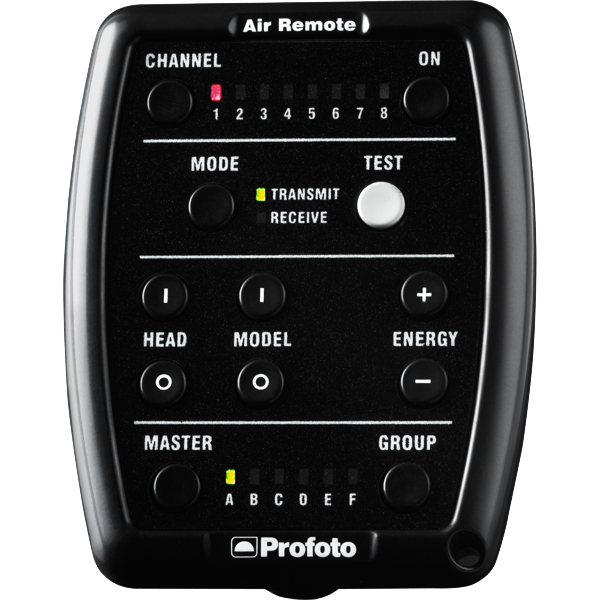
Profoto Air Remote
A wireless transmitter that mounts on the camera’s hot shoe to control Profoto lights remotely. Supports TTL, manual power adjustment, and high-speed sync. Why it’s used: Enables precise, cable-free control of flash settings from the camera position, streamlining workflow and allowing quick lighting adjustments during a shoot.
A wireless transmitter that mounts on the camera’s hot shoe to control Profoto lights remotely. Supports TTL, manual power adjustment, and high-speed sync. Why it’s used: Enables precise, cable-free control of flash settings from the camera position, streamlining workflow and allowing quick lighting adjustments during a shoot.
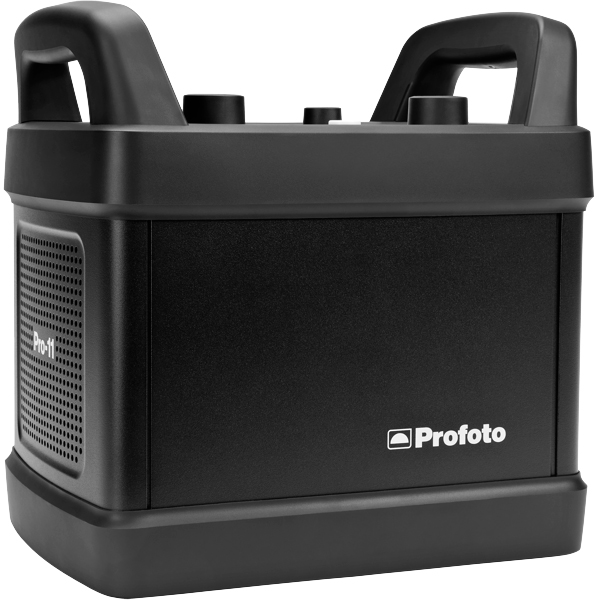
Profoto Pro 11
A top-tier 2400 Ws studio generator offering ultra-fast flash durations, short recycle times, and exceptional color consistency. Features wireless control and AirX connectivity for remote operation.
Why it’s used: Delivers unmatched speed, power, and reliability for high-end fashion, beauty, and commercial shoots where precision and performance are critical.
A top-tier 2400 Ws studio generator offering ultra-fast flash durations, short recycle times, and exceptional color consistency. Features wireless control and AirX connectivity for remote operation.
Why it’s used: Delivers unmatched speed, power, and reliability for high-end fashion, beauty, and commercial shoots where precision and performance are critical.
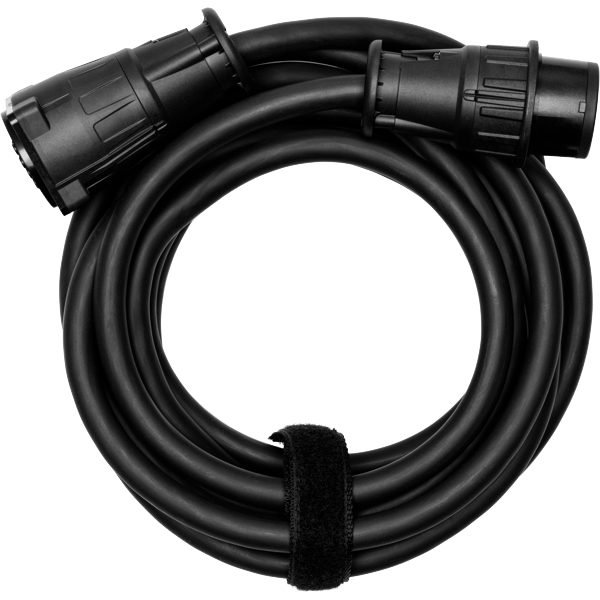
Profoto Extension Cable
A heavy-duty cable that extends the distance between a Profoto generator and its flash head. Designed to handle high power loads without loss of performance.
Why it’s used: Provides flexibility in light placement on large sets or challenging locations, allowing equipment to be positioned safely and creatively without being limited by generator proximity.
A heavy-duty cable that extends the distance between a Profoto generator and its flash head. Designed to handle high power loads without loss of performance.
Why it’s used: Provides flexibility in light placement on large sets or challenging locations, allowing equipment to be positioned safely and creatively without being limited by generator proximity.
Profoto ProHead
A high-performance flash head designed for use with Profoto’s Pro-series generators. Built for durability, fast recycling, and consistent color output, even at high power.
Why it’s used: Delivers powerful, reliable lighting for demanding studio and location work, supporting a wide range of Profoto modifiers for maximum creative control.
A high-performance flash head designed for use with Profoto’s Pro-series generators. Built for durability, fast recycling, and consistent color output, even at high power.
Why it’s used: Delivers powerful, reliable lighting for demanding studio and location work, supporting a wide range of Profoto modifiers for maximum creative control.
Profoto Umbrella Shallow White M
A medium-sized, shallow-profile umbrella with a white interior for soft, even light. Designed for quick setup and portability.
Why it’s used: Produces a flattering, diffused light with gentle contrast, ideal for portraits, beauty, and fashion shoots where a natural, soft look is desired.
Profoto Umbrella Shallow White M
A medium-sized, shallow-profile umbrella with a white interior for soft, even light. Designed for quick setup and portability.
Why it’s used: Produces a flattering, diffused light with gentle contrast, ideal for portraits, beauty, and fashion shoots where a natural, soft look is desired.
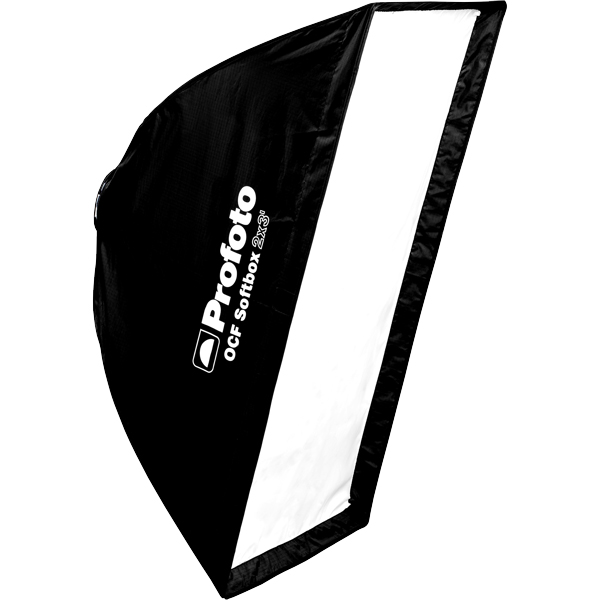
Profoto Softbox 2x3"(60x90cm)
A medium rectangular softbox measuring 60×90 cm, compatible with Profoto flashes. Produces soft, even light with defined yet gentle shadows.
Why it’s used: Versatile for portraits, beauty, and fashion photography, offering a balance between softness and directional control in both studio and location setups.
Profoto Softbox 2x3"(60x90cm)
A medium rectangular softbox measuring 60×90 cm, compatible with Profoto flashes. Produces soft, even light with defined yet gentle shadows.
Why it’s used: Versatile for portraits, beauty, and fashion photography, offering a balance between softness and directional control in both studio and location setups.
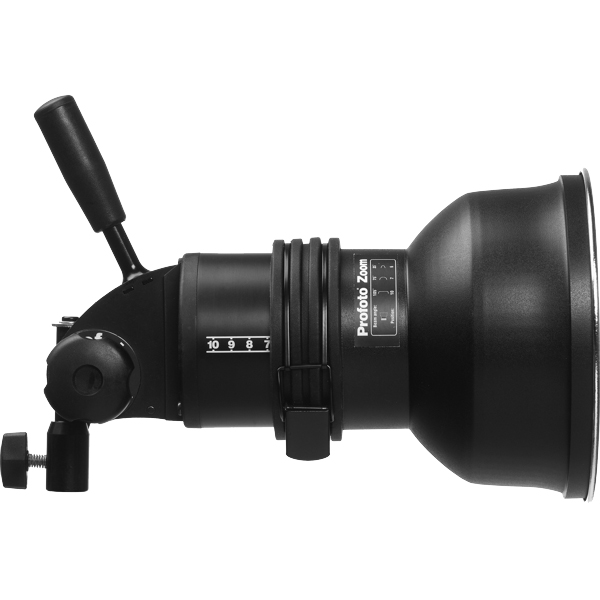
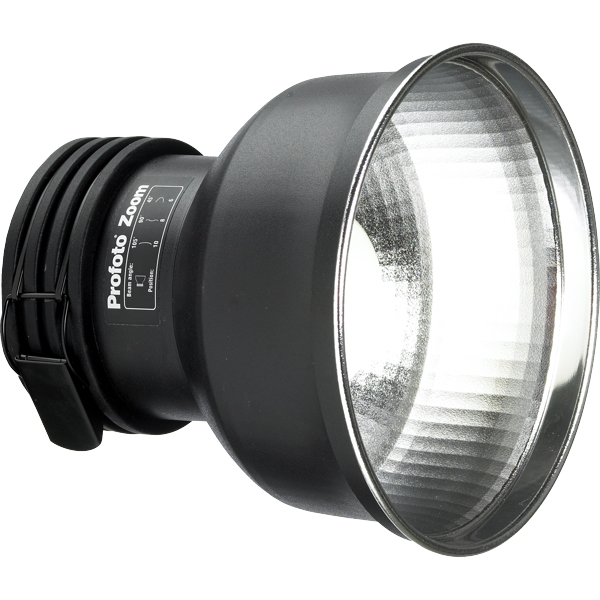
Profoto Zoom Reflector
A versatile hard light modifier for Profoto flash heads, featuring an adjustable zoom function to change the beam spread from wide to focused.
Why it’s used: Provides crisp, punchy light with controllable spread, making it suitable for everything from general illumination to accent lighting in both studio and location work.
A versatile hard light modifier for Profoto flash heads, featuring an adjustable zoom function to change the beam spread from wide to focused.
Why it’s used: Provides crisp, punchy light with controllable spread, making it suitable for everything from general illumination to accent lighting in both studio and location work.
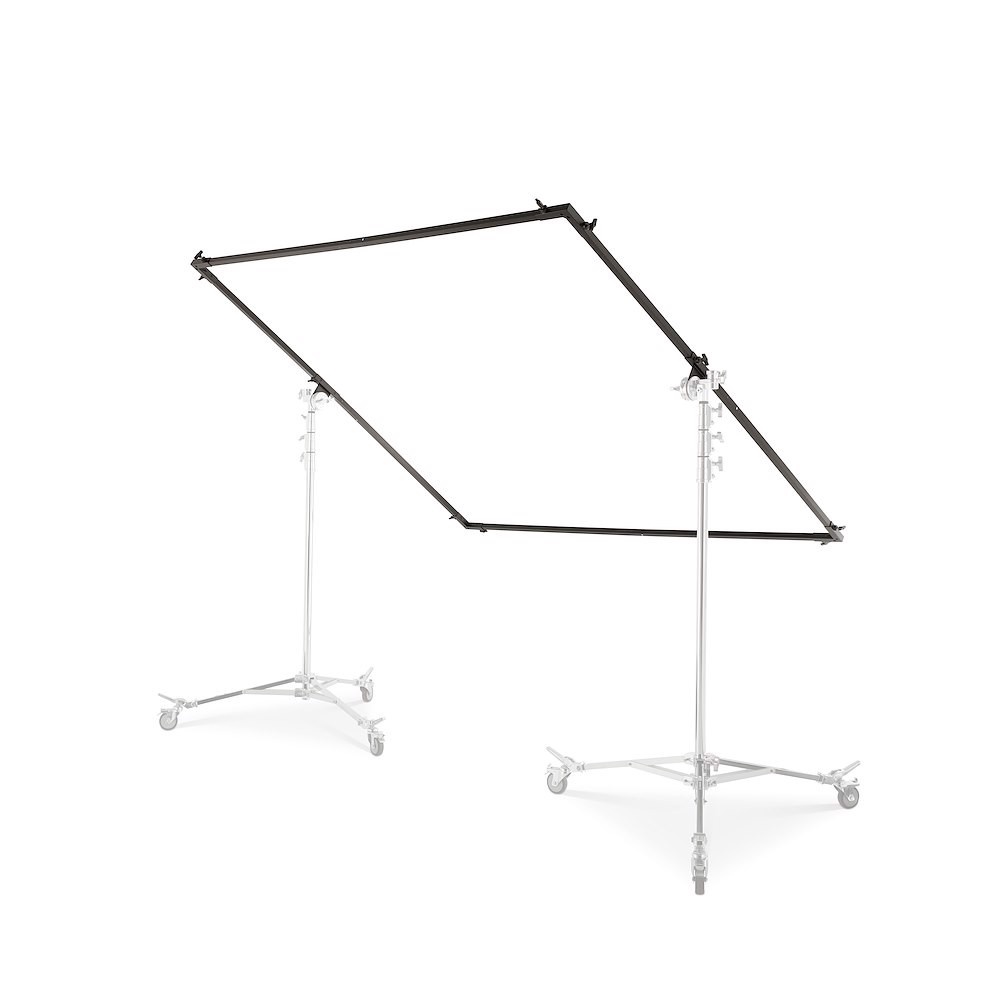
6x6 Frame
A compact metal frame measuring 6 feet on each side, designed to hold fabrics like diffusion, bounce, or blackouts. Lightweight and easy to move on set.
Why it’s used: Ideal for smaller setups or tighter spaces, offering precise light control for individual subjects or specific areas without the footprint of larger frames.
A compact metal frame measuring 6 feet on each side, designed to hold fabrics like diffusion, bounce, or blackouts. Lightweight and easy to move on set.
Why it’s used: Ideal for smaller setups or tighter spaces, offering precise light control for individual subjects or specific areas without the footprint of larger frames.
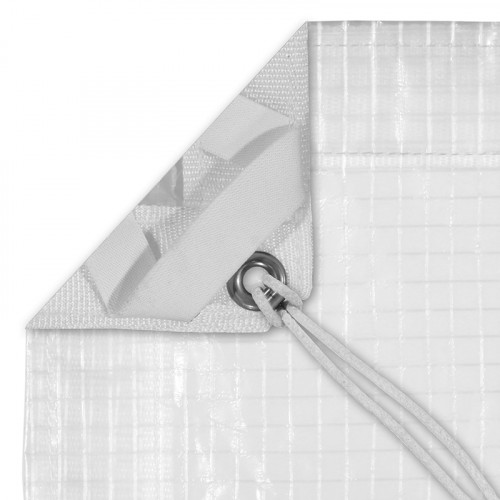
Grid Cloth
A durable, reinforced fabric with an embedded grid pattern, available in various densities from full to half-stop diffusion. Often mounted on frames or used as large overheads.
Why it’s used: Softens and spreads light while maintaining directional control, making it ideal for creating smooth, even illumination without excessive light spill.
A durable, reinforced fabric with an embedded grid pattern, available in various densities from full to half-stop diffusion. Often mounted on frames or used as large overheads.
Why it’s used: Softens and spreads light while maintaining directional control, making it ideal for creating smooth, even illumination without excessive light spill.
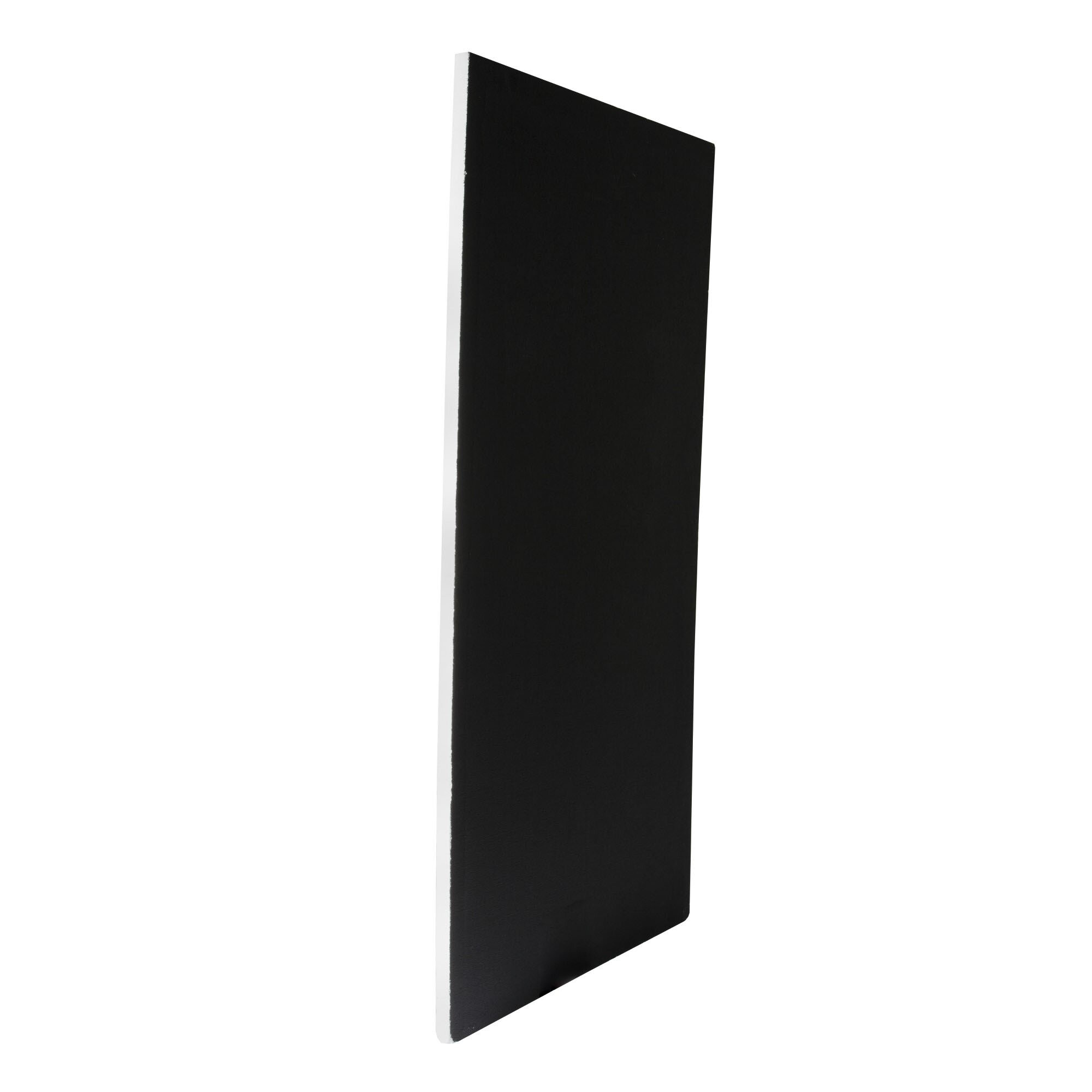
Poly Board Black Large
A large, rigid panel made from black foam core or similar material, used to block or absorb light. Typically lightweight but sturdy enough for repeated use on set.
Why it’s used: Reduces light spill, deepens shadows, and increases contrast by preventing unwanted reflections. Commonly used in pairs to create controlled, moody lighting setups.
A large, rigid panel made from black foam core or similar material, used to block or absorb light. Typically lightweight but sturdy enough for repeated use on set.
Why it’s used: Reduces light spill, deepens shadows, and increases contrast by preventing unwanted reflections. Commonly used in pairs to create controlled, moody lighting setups.
Get your full EQ list here

Project Intro
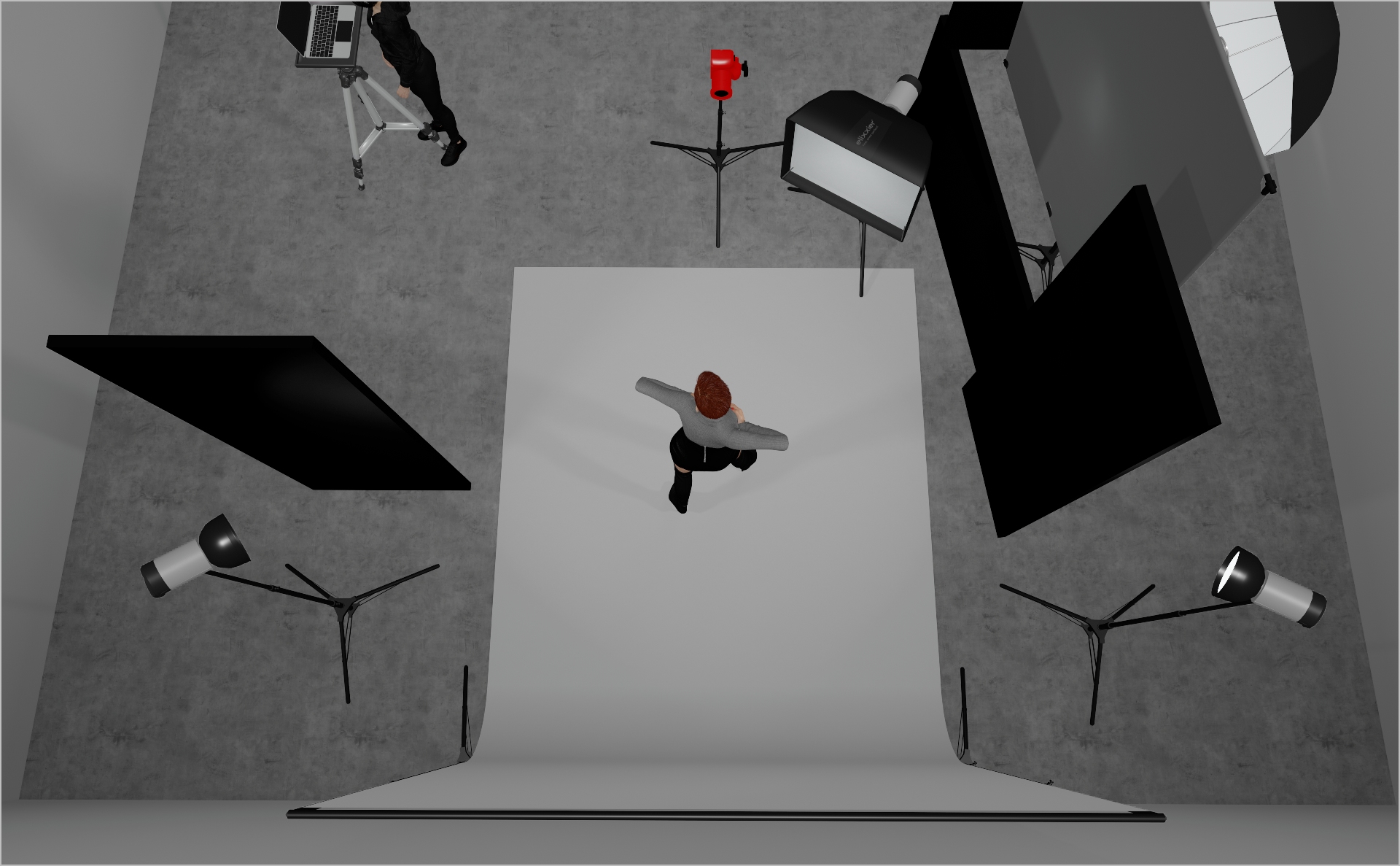
This story was shot for SLEEK Magazine, called “Bend The Zeitgeist”. The goal of this lighting setup is to produce dramatic fashion-editorial light that elevates the contemporary styling. Let`s jump in!
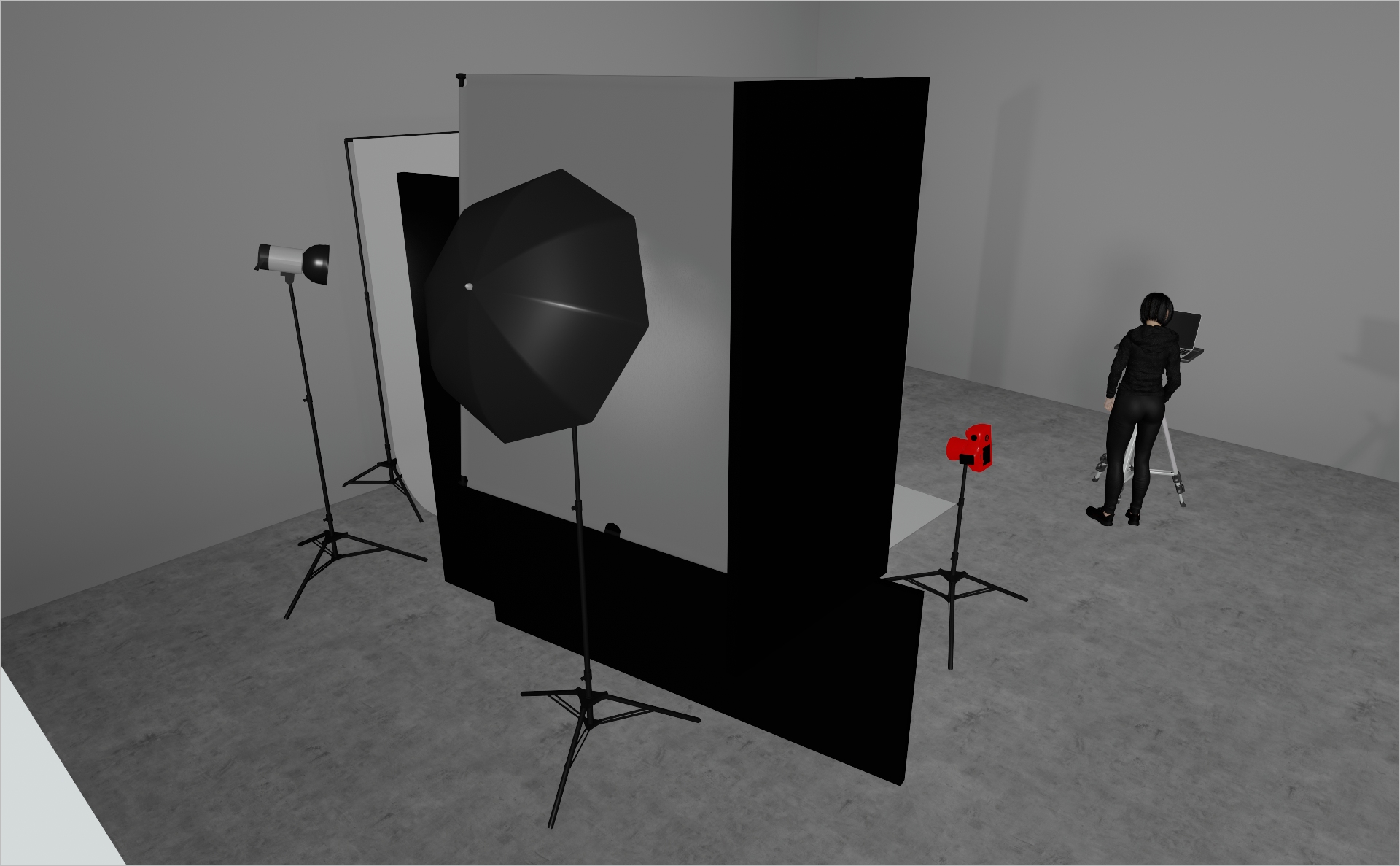
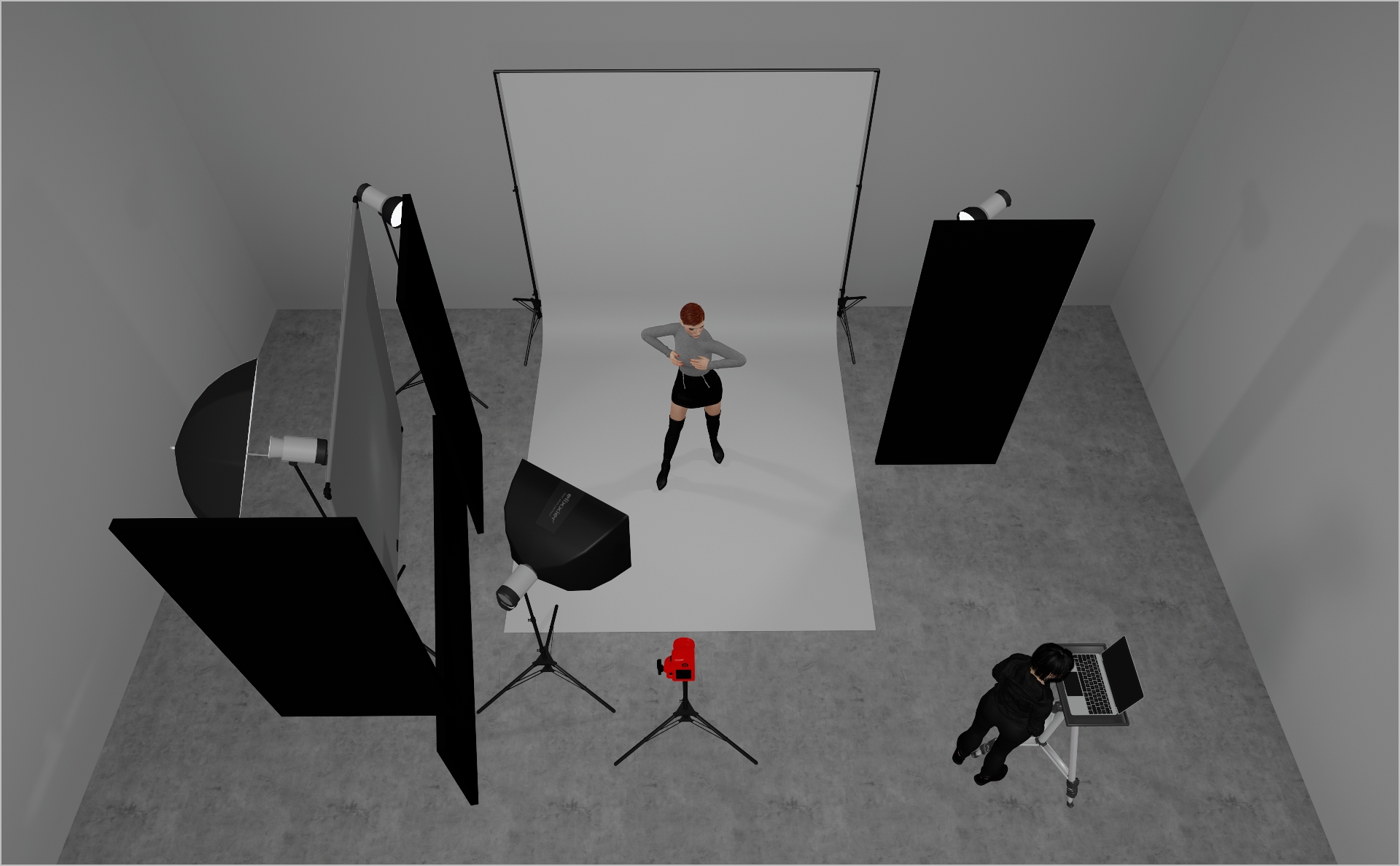
STEP 1
- Mount a 6×6 frame with 6×6 Grid Cloth and position a Profoto White Medium umbrella directly behind it.
- Surround the entire frame with black polyboards and floppy flags (see the 3D render) to block unwanted spill.
- Use this as your global key light – though slightly underexposed
- Start at power 4.0 and adjust to taste.
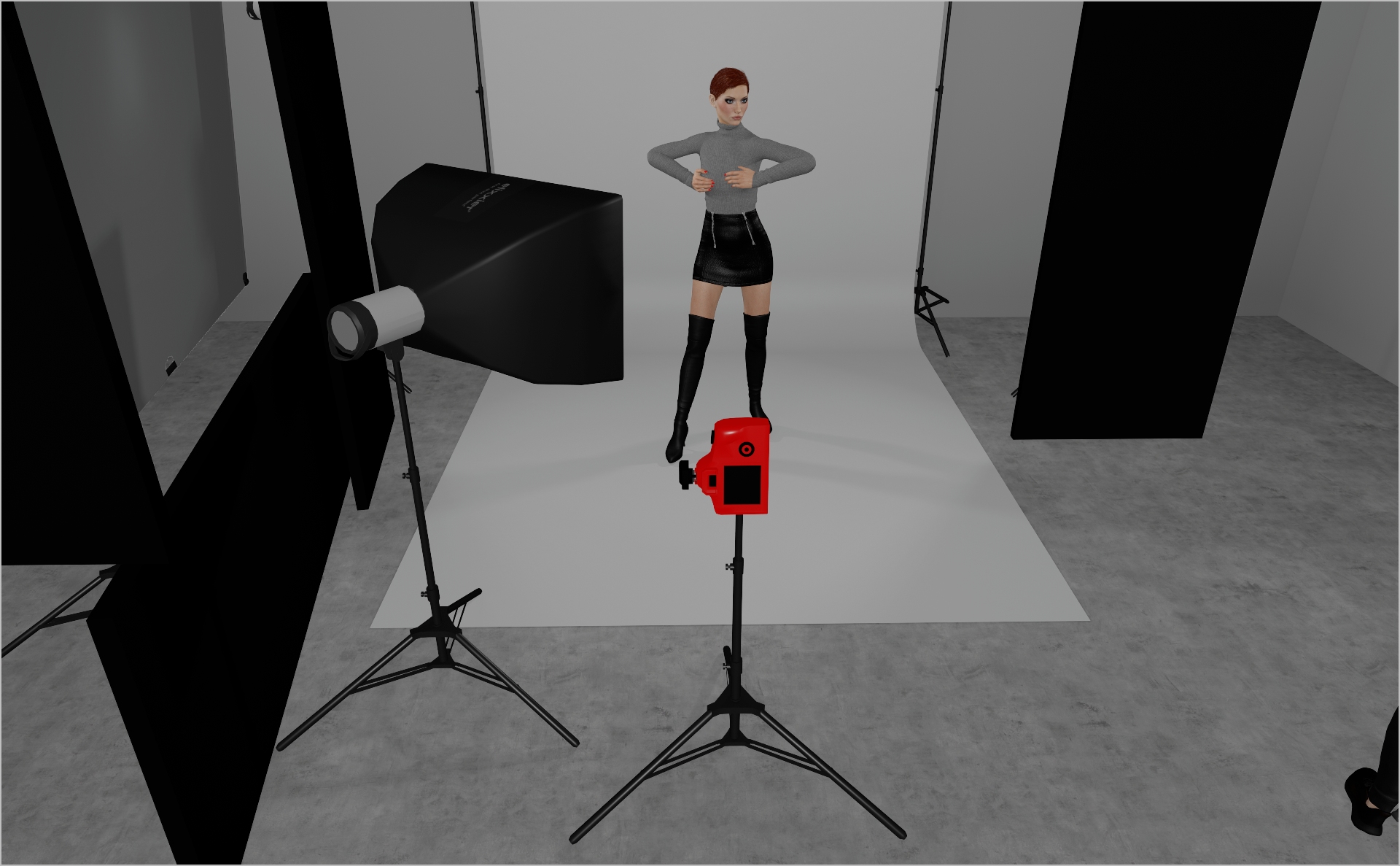
STEP 2
- Mount a Profoto 2×3″ softbox at chest-height to camera-left, aimed at the model’s face.
- Use it to gently fill shadows on the face.
- Start at low power (around 3.0) and tweak to taste.
STEP 3
- Mount two Profoto ProHeads with Standard Zoom reflectors as backlights, positioned opposite each other and aimed at the model’s head, shoulders, and contours without spilling onto the backdrop
- Flag each light with a black polyboard (as shown in the 3D render) to block unwanted spill into the set.
- This light creates that super dramatic vibe.
- Start at power 5.0 and adjust to your taste.
- Camera settings: 1/160 s, ƒ/7.1, ISO 160.
PROJECT DETAILS
CRAFTING THE LIGHT
Project Intro
This story was shot for SLEEK Magazine, called “Bend The Zeitgeist”. The goal of this lighting setup is to produce dramatic fashion-editorial light that elevates the contemporary styling. Let`s jump in!
BEFORE AND AFTER
Transformation made visible.
STEP 1
- Mount a 6×6 frame with 6×6 Grid Cloth and position a Profoto White Medium umbrella directly behind it.
- Surround the entire frame with black polyboards and floppy flags (see the 3D render) to block unwanted spill.
- Use this as your global key light – though slightly underexposed
- Start at power 4.0 and adjust to taste.
STEP 2
- Mount a Profoto 2×3″ softbox at chest-height to camera-left, aimed at the model’s face.
- Use it to gently fill shadows on the face.
- Start at low power (around 3.0) and tweak to taste.
STEP 3
- Mount two Profoto ProHeads with Standard Zoom reflectors as backlights, positioned opposite each other and aimed at the model’s head, shoulders, and contours without spilling onto the backdrop
- Flag each light with a black polyboard (as shown in the 3D render) to block unwanted spill into the set.
- This light creates that super dramatic vibe.
- Start at power 5.0 and adjust to your taste.
- Camera settings: 1/160 s, ƒ/7.1, ISO 160.
BEFORE AND AFTER
A closer look at professional environments.
TOOLS
Equipment List
Profoto Air Remote
A wireless transmitter that mounts on the camera’s hot shoe to control Profoto lights remotely. Supports TTL, manual power adjustment, and high-speed sync. Why it’s used: Enables precise, cable-free control of flash settings from the camera position, streamlining workflow and allowing quick lighting adjustments during a shoot.

A wireless transmitter that mounts on the camera’s hot shoe to control Profoto lights remotely. Supports TTL, manual power adjustment, and high-speed sync. Why it’s used: Enables precise, cable-free control of flash settings from the camera position, streamlining workflow and allowing quick lighting adjustments during a shoot.
Profoto Pro 11
A top-tier 2400 Ws studio generator offering ultra-fast flash durations, short recycle times, and exceptional color consistency. Features wireless control and AirX connectivity for remote operation.
Why it’s used: Delivers unmatched speed, power, and reliability for high-end fashion, beauty, and commercial shoots where precision and performance are critical.
A top-tier 2400 Ws studio generator offering ultra-fast flash durations, short recycle times, and exceptional color consistency. Features wireless control and AirX connectivity for remote operation.
Why it’s used: Delivers unmatched speed, power, and reliability for high-end fashion, beauty, and commercial shoots where precision and performance are critical.
Profoto Extension Cable
A heavy-duty cable that extends the distance between a Profoto generator and its flash head. Designed to handle high power loads without loss of performance.
Why it’s used: Provides flexibility in light placement on large sets or challenging locations, allowing equipment to be positioned safely and creatively without being limited by generator proximity.
A heavy-duty cable that extends the distance between a Profoto generator and its flash head. Designed to handle high power loads without loss of performance.
Why it’s used: Provides flexibility in light placement on large sets or challenging locations, allowing equipment to be positioned safely and creatively without being limited by generator proximity.
Profoto ProHead
A high-performance flash head designed for use with Profoto’s Pro-series generators. Built for durability, fast recycling, and consistent color output, even at high power.
Why it’s used: Delivers powerful, reliable lighting for demanding studio and location work, supporting a wide range of Profoto modifiers for maximum creative control.
A high-performance flash head designed for use with Profoto’s Pro-series generators. Built for durability, fast recycling, and consistent color output, even at high power.
Why it’s used: Delivers powerful, reliable lighting for demanding studio and location work, supporting a wide range of Profoto modifiers for maximum creative control.
Profoto Umbrella Shallow White M
A medium-sized, shallow-profile umbrella with a white interior for soft, even light. Designed for quick setup and portability.
Why it’s used: Produces a flattering, diffused light with gentle contrast, ideal for portraits, beauty, and fashion shoots where a natural, soft look is desired.
Profoto Umbrella Shallow White M
A medium-sized, shallow-profile umbrella with a white interior for soft, even light. Designed for quick setup and portability.
Why it’s used: Produces a flattering, diffused light with gentle contrast, ideal for portraits, beauty, and fashion shoots where a natural, soft look is desired.
Profoto Softbox 2x3"(60x90cm)
A medium rectangular softbox measuring 60×90 cm, compatible with Profoto flashes. Produces soft, even light with defined yet gentle shadows.
Why it’s used: Versatile for portraits, beauty, and fashion photography, offering a balance between softness and directional control in both studio and location setups.
Profoto Softbox 2x3"(60x90cm)
A medium rectangular softbox measuring 60×90 cm, compatible with Profoto flashes. Produces soft, even light with defined yet gentle shadows.
Why it’s used: Versatile for portraits, beauty, and fashion photography, offering a balance between softness and directional control in both studio and location setups.
Profoto Zoom Reflector
A versatile hard light modifier for Profoto flash heads, featuring an adjustable zoom function to change the beam spread from wide to focused.
Why it’s used: Provides crisp, punchy light with controllable spread, making it suitable for everything from general illumination to accent lighting in both studio and location work.
A versatile hard light modifier for Profoto flash heads, featuring an adjustable zoom function to change the beam spread from wide to focused.
Why it’s used: Provides crisp, punchy light with controllable spread, making it suitable for everything from general illumination to accent lighting in both studio and location work.
6x6 Frame
A compact metal frame measuring 6 feet on each side, designed to hold fabrics like diffusion, bounce, or blackouts. Lightweight and easy to move on set.
Why it’s used: Ideal for smaller setups or tighter spaces, offering precise light control for individual subjects or specific areas without the footprint of larger frames.
A compact metal frame measuring 6 feet on each side, designed to hold fabrics like diffusion, bounce, or blackouts. Lightweight and easy to move on set.
Why it’s used: Ideal for smaller setups or tighter spaces, offering precise light control for individual subjects or specific areas without the footprint of larger frames.
Grid Cloth
A durable, reinforced fabric with an embedded grid pattern, available in various densities from full to half-stop diffusion. Often mounted on frames or used as large overheads.
Why it’s used: Softens and spreads light while maintaining directional control, making it ideal for creating smooth, even illumination without excessive light spill.
A durable, reinforced fabric with an embedded grid pattern, available in various densities from full to half-stop diffusion. Often mounted on frames or used as large overheads.
Why it’s used: Softens and spreads light while maintaining directional control, making it ideal for creating smooth, even illumination without excessive light spill.
Poly Board Black Large
A large, rigid panel made from black foam core or similar material, used to block or absorb light. Typically lightweight but sturdy enough for repeated use on set.
Why it’s used: Reduces light spill, deepens shadows, and increases contrast by preventing unwanted reflections. Commonly used in pairs to create controlled, moody lighting setups.
A large, rigid panel made from black foam core or similar material, used to block or absorb light. Typically lightweight but sturdy enough for repeated use on set.
Why it’s used: Reduces light spill, deepens shadows, and increases contrast by preventing unwanted reflections. Commonly used in pairs to create controlled, moody lighting setups.
Here you´ll find everything to elevate your career
UNLOCKED
Capture One Styles
MEMBER-EXCLUSIVE OFFERING
Mentoring
Rotate your device to see the content