PROJECT DETAILS
CRAFTING THE LIGHT
BEFORE AND AFTER
Transformation made visible.
TOOLS
Equipment List
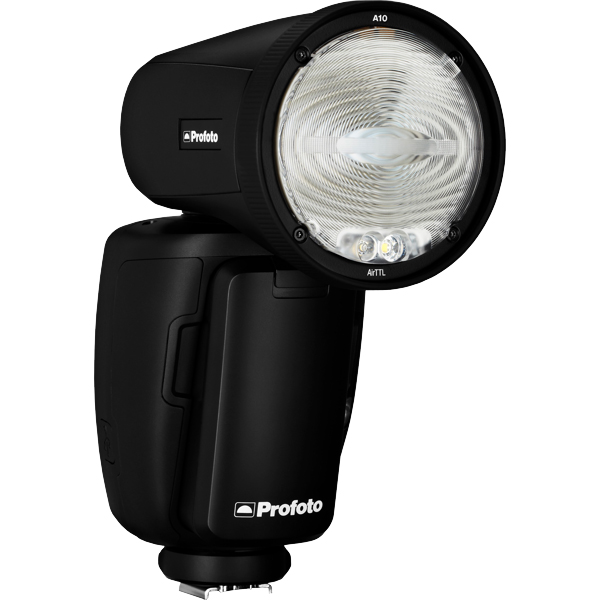
Profoto A10
A compact, on-camera flash with a round head for natural light fall-off and pleasing catchlights. Features Profoto AirTTL and Bluetooth connectivity for remote control and seamless integration with other Profoto lights.
Why it’s used: Delivers high-quality, portable lighting for portraits and on-location fashion work, either on-camera or as part of a multi-light setup.
A compact, on-camera flash with a round head for natural light fall-off and pleasing catchlights. Features Profoto AirTTL and Bluetooth connectivity for remote control and seamless integration with other Profoto lights.
Why it’s used: Delivers high-quality, portable lighting for portraits and on-location fashion work, either on-camera or as part of a multi-light setup.
Get your full EQ list here

Project Intro
Simple, but super popping setup! The goal is to create that high contrasting and brilliant “paparazzi” flash light look. Let`s go!
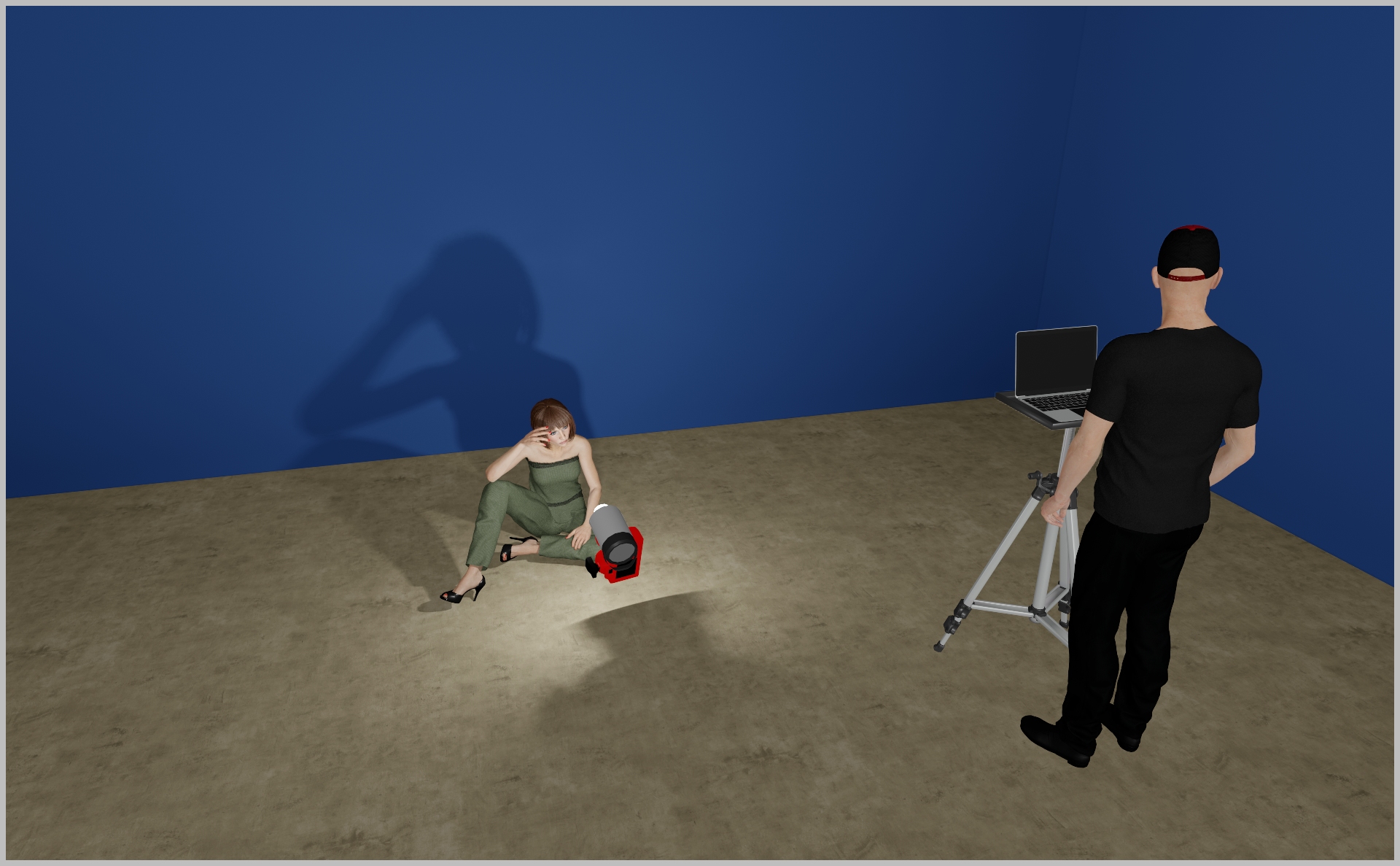
STEP 1
- You can mount a Profoto A10 (or any comparable on‑camera flash), or—per the 3D render—have an assistant hold a bare‑bulb Profoto head just above your camera. This setup virtually eliminates all shadows around your subject.
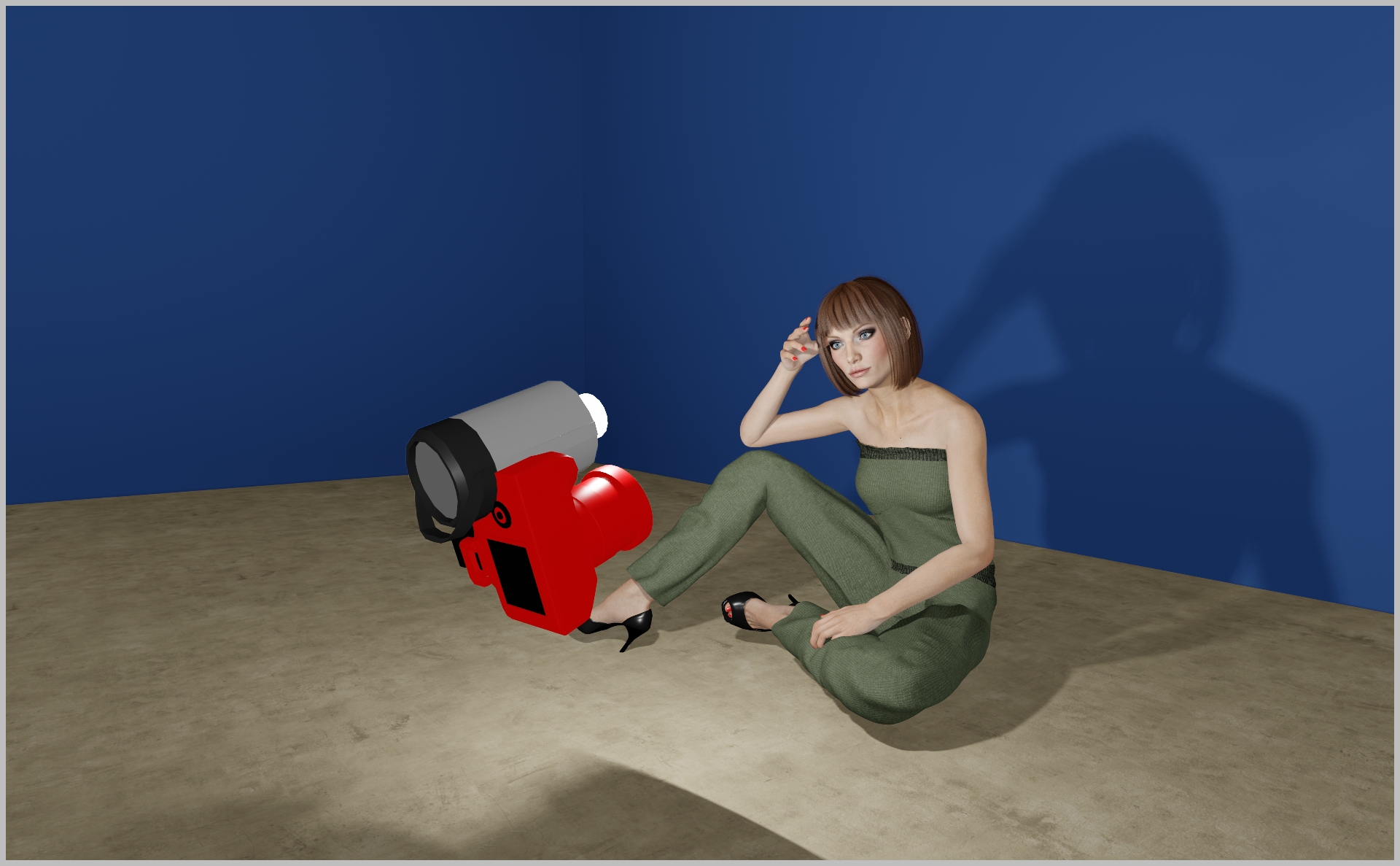
STEP 2
- Start with 1/160, f8, ISO100 - adjust to your needs!
PROJECT DETAILS
CRAFTING THE LIGHT
Project Intro
Simple, but super popping setup! The goal is to create that high contrasting and brilliant “paparazzi” flash light look. Let`s go!
BEFORE AND AFTER
Transformation made visible.
STEP 1
- You can mount a Profoto A10 (or any comparable on‑camera flash), or—per the 3D render—have an assistant hold a bare‑bulb Profoto head just above your camera. This setup virtually eliminates all shadows around your subject.
STEP 2
- Start with 1/160, f8, ISO100 - adjust to your needs!
BEFORE AND AFTER
A closer look at professional environments.
TOOLS
Equipment List
Profoto A10
A compact, on-camera flash with a round head for natural light fall-off and pleasing catchlights. Features Profoto AirTTL and Bluetooth connectivity for remote control and seamless integration with other Profoto lights.
Why it’s used: Delivers high-quality, portable lighting for portraits and on-location fashion work, either on-camera or as part of a multi-light setup.

A compact, on-camera flash with a round head for natural light fall-off and pleasing catchlights. Features Profoto AirTTL and Bluetooth connectivity for remote control and seamless integration with other Profoto lights.
Why it’s used: Delivers high-quality, portable lighting for portraits and on-location fashion work, either on-camera or as part of a multi-light setup.
Here you´ll find everything to elevate your career
UNLOCKED
Capture One Styles
MEMBER-EXCLUSIVE OFFERING
Mentoring
Rotate your device to see the content